
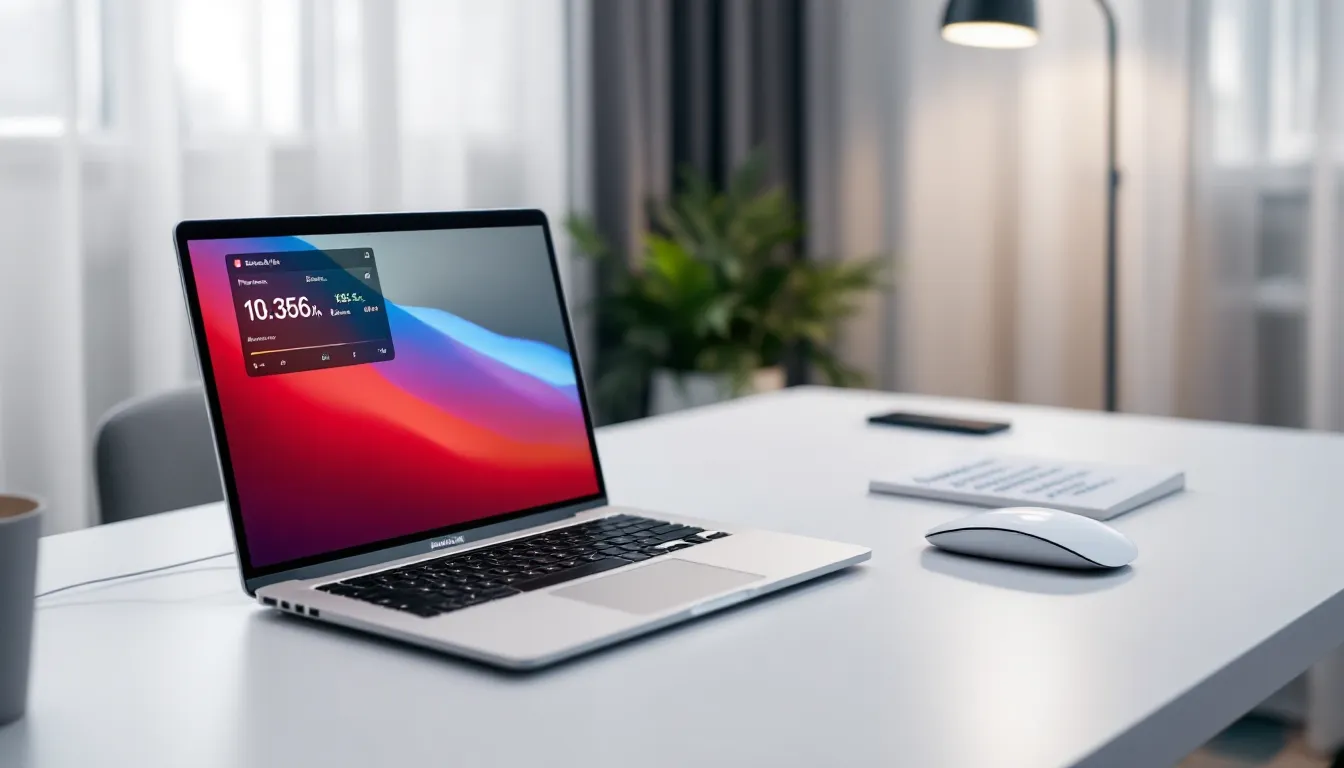
The MacBook Air has never been marketed as a gaming machine. It’s Apple’s ultraportable productivity workhorse, built for students, creatives, and professionals who value battery life and portability over raw power. But with Apple Silicon’s M-series chips shaking up performance expectations, a legitimate question has emerged: can the MacBook Air actually game?
The short answer? It’s complicated. The M2 and M3 MacBook Air models pack surprising GPU punch for their thin, fanless chassis. They’ll handle plenty of games, just not in the way a dedicated gaming laptop would. If you’re considering a MacBook Air and wondering whether you’ll be able to squeeze in some gaming sessions between productivity tasks, or if you’re a casual gamer curious whether Apple’s ultrabook can replace a heavier gaming rig, this breakdown will give you the real-world performance data you need to decide.
Key Takeaways
- MacBook Air gaming performance has dramatically improved with Apple Silicon M2 and M3 chips, delivering approximately 2–3x better GPU performance than Intel models, though it remains behind dedicated gaming laptops.
- The M3 MacBook Air handles indie games, esports titles, and older AAA games well at 1080p, but thermal throttling reduces performance by 10–20% after 20–30 minutes of sustained gaming due to the fanless design.
- A minimum of 16GB RAM and 512GB storage is required for gaming on MacBook Air; the base 8GB configuration causes stuttering and texture pop-in during gameplay.
- Native Apple Silicon games optimized for Metal API—such as Resident Evil Village, Baldur’s Gate 3, and No Man’s Sky—deliver the best experience, while Rosetta 2 emulation introduces 15–25% performance penalties.
- Cloud gaming services like GeForce NOW and Xbox Cloud Gaming effectively eliminate MacBook Air gaming hardware limitations, streaming AAA titles at 1080p/60fps with a strong internet connection.
- MacBook Air gaming makes sense for casual gamers prioritizing portability, battery life, and productivity; dedicated gaming laptops are the better choice if gaming is your primary use case and you want maximum performance at high settings.
Understanding the MacBook Air’s Hardware for Gaming
Before diving into frame rates and thermal throttling, you need to understand what’s actually under the hood. The MacBook Air’s gaming potential lives or dies by its silicon, and Apple’s architectural choices create a unique gaming environment compared to traditional x86 laptops.
Apple Silicon vs Intel: The Gaming Performance Gap
The Intel-based MacBook Air is effectively dead for gaming purposes. The last Intel models (2020 and earlier) shipped with integrated Intel Iris Plus Graphics, which struggled to push 30 fps in even moderately demanding titles at low settings. If you own an Intel MacBook Air, your best gaming option is cloud streaming, native performance simply isn’t viable.
Apple Silicon changed the conversation entirely. The M2 MacBook Air (released mid-2022) features an 8-core or 10-core GPU depending on configuration, with the 10-core variant delivering approximately 35% better graphics performance than the M1. The M3 MacBook Air (launched March 2024) pushes that further with hardware-accelerated ray tracing and Dynamic Caching, which allocates GPU memory more efficiently during intensive tasks.
In synthetic benchmarks, the M3’s GPU scores around 30,000 in Geekbench Metal, roughly equivalent to an NVIDIA GTX 1650 Max-Q in raw compute, though real-world gaming performance doesn’t always translate 1:1 due to API differences and game optimization. The performance leap from Intel to Apple Silicon isn’t incremental: it’s generational.
GPU Capabilities and Graphics Processing
The GPU architecture in M2 and M3 chips uses unified memory architecture, meaning the GPU and CPU share the same RAM pool. This eliminates the traditional bottleneck of copying data between system memory and dedicated VRAM, which can actually benefit certain gaming scenarios, particularly in games with large texture streaming requirements.
The M3’s GPU supports hardware ray tracing and mesh shading, both features that were previously exclusive to dedicated gaming GPUs. But, very few macOS-native games currently leverage these features as of early 2026. The GPU also includes Apple’s MetalFX upscaling, which functions similarly to NVIDIA’s DLSS or AMD’s FSR, rendering games at lower resolution and using AI-driven upscaling to maintain visual quality while boosting frame rates.
Realistic expectations: the M3’s 10-core GPU configuration sits somewhere between entry-level and mid-range dedicated laptop GPUs from 2023-2024. It’ll handle esports titles and older AAA games comfortably at 1080p, but don’t expect ultra settings at native resolution in Cyberpunk 2077 or similarly demanding titles.
RAM and Storage Considerations for Gamers
Unified memory is both a strength and a limitation. Since the GPU shares RAM with the system, the base 8GB configuration is borderline unusable for gaming. Games will compete with macOS system processes for memory, leading to stuttering and texture pop-in.
The 16GB configuration is the practical minimum for anyone considering gaming on MacBook Air. Modern games like Baldur’s Gate 3 or Resident Evil Village can easily consume 10-12GB when accounting for both game assets and system overhead. The 24GB option provides headroom for future titles but isn’t strictly necessary unless you’re also running memory-intensive productivity apps alongside games.
Storage matters too. Many modern games exceed 100GB installed size, and the base 256GB SSD fills up frighteningly fast. Budget for at least 512GB if gaming is part of your use case, Apple’s SSD upgrade pricing hurts, but running games off external drives introduces loading stutters that tank the experience.
Real-World Gaming Performance: Benchmarks and Frame Rates
Synthetic benchmarks tell part of the story. Actual gameplay tells the rest. Here’s what MacBook Air gaming actually looks like across different game categories in 2026.
AAA Titles Performance Testing
Let’s be blunt: the MacBook Air isn’t built for cutting-edge AAA gaming, but Apple’s Game Porting Toolkit has expanded the playable library significantly over the past year. Several major studios have released native Apple Silicon versions, and the results vary.
Resident Evil Village (native Apple Silicon version): The M3 MacBook Air pushes 45-55 fps at 1080p with medium-high settings and MetalFX upscaling enabled. Disable upscaling and expect that to drop to 30-35 fps. The M2 Air sits about 15% lower across the board. Playable? Yes. Optimal? Not quite.
Baldur’s Gate 3 (native): Surprisingly solid performance in most scenarios. Combat encounters in Act 1 maintain 40-50 fps at high settings (1080p), though the Lower City in Act 3, notorious for tanking performance even on gaming rigs, drops to the mid-20s during busy scenes. Turn-based gameplay makes these dips more tolerable than they’d be in action titles.
No Man’s Sky (native): Consistent 45-60 fps at medium settings. The game’s stylized aesthetic doesn’t demand photorealistic rendering, which plays to the MacBook Air’s strengths. One of the better AAA experiences on the platform.
Cyberpunk 2077: Not officially available for macOS as of March 2026, but runs through CrossOver (more on that later) at 20-30 fps with low-medium settings. Borderline playable, but you’re better off streaming it.
The pattern is clear: native Apple Silicon games optimized for Metal API deliver respectable performance at 1080p with setting compromises. Anything requiring emulation or translation layers struggles.
Indie and Casual Games Experience
This is where the MacBook Air shines. Indie titles and less graphically demanding games run beautifully, often hitting the display’s native refresh rates.
Hades: Locked 60 fps at native resolution, max settings. Zero thermal throttling even during extended sessions.
Stardew Valley, Terraria, Slay the Spire: Flawless performance. These games were designed to run on potato hardware, and the MacBook Air handles them effortlessly.
Hollow Knight, Dead Cells, Celeste: Consistent 60+ fps. The MacBook Air’s excellent display makes these pixel-art and hand-drawn titles look stunning.
Among Us, Fall Guys: Perfectly playable at max settings. Competitive multiplayer experiences work well as long as the game supports macOS natively.
If your gaming diet consists primarily of indie titles, roguelikes, strategy games, and older classics, the MacBook Air is genuinely capable. You won’t feel hardware-limited until you start eyeing graphically intensive releases.
Native vs Rosetta 2 Gaming Performance
Rosetta 2 translates Intel x86 applications to run on Apple Silicon, and while it’s impressive technology, gaming through Rosetta introduces meaningful performance penalties, typically 15-25% compared to native Apple Silicon builds.
Civilization VI (Intel version via Rosetta 2): Playable but noticeably slower turn times and choppier animations compared to the native version. Frame rates drop from consistent 50+ fps (native) to 35-45 fps (Rosetta) in late-game scenarios with large maps.
The bigger issue is compatibility. Not every Intel-based game runs correctly through Rosetta 2. Some encounter graphical glitches, audio desync, or outright crashes. Always check for native Apple Silicon versions first, the performance difference is substantial, and compatibility is far more reliable.
Thermal Management and Sustained Gaming Sessions
The MacBook Air’s fanless design is a blessing for everyday use, silent operation, no dust accumulation, minimal moving parts. For gaming, it’s a double-edged sword.
Heat Throttling Under Load
Without active cooling, the MacBook Air relies entirely on passive heat dissipation through its aluminum chassis. During gaming sessions, the M2 and M3 chips will thermal throttle when sustained load pushes temperatures beyond safe operating thresholds (typically around 100-105°C for the SoC).
In practical terms: the first 15-20 minutes of gaming deliver peak performance. After that, you’ll see frame rates gradually decline by 10-20% as the system throttles to manage heat. In a 60-minute Baldur’s Gate 3 session, the M3 Air might start at 50 fps and settle into the low 40s by the half-hour mark.
Room temperature matters significantly. Gaming in an air-conditioned room versus a warm environment can mean the difference between tolerable throttling and performance that becomes genuinely distracting. Some users resort to laptop cooling pads or even tilting the MacBook Air to improve airflow underneath, anything to give the chassis more surface area for heat dissipation.
Testing from independent reviewers shows the chassis can reach 45-48°C (113-118°F) during extended gaming, which is uncomfortable for lap use but not dangerous for the hardware. Apple’s thermal design is conservative, the system will throttle aggressively to protect itself before any damage occurs.
Fanless Design Impact on Performance
The MacBook Pro 14″ and 16″ models with active cooling consistently outperform the Air by 15-30% in sustained workloads specifically because fans evacuate heat before throttling kicks in. For gaming, this translates to more consistent frame rates during longer sessions.
Is the fanless design a dealbreaker? Depends on your gaming habits. If you’re playing in 30-45 minute bursts with cooldown periods between sessions, throttling rarely becomes intrusive. Multi-hour gaming marathons will expose the limitations more clearly.
Some players have reported better sustained performance by lowering graphical settings preemptively, running a game at medium settings that stays at 50 fps throughout a session feels better than high settings that start at 60 fps but drop to 40 fps after twenty minutes.
MacBook Air Gaming Compatibility: What Can You Actually Play?
Hardware capability is only half the equation. Game availability on macOS remains the platform’s biggest limitation.
Native macOS Games Library
The macOS gaming library has expanded considerably since Apple introduced the Game Porting Toolkit in mid-2023, but it still pales compared to Windows. As of early 2026, the Mac App Store and Steam for macOS offer:
- Major AAA ports: Resident Evil Village, Resident Evil 4 Remake, No Man’s Sky, Death Stranding, Baldur’s Gate 3, GRID Legends, Lies of P
- Popular indies: Hades, Hollow Knight, Celeste, Stardew Valley, Terraria, Slay the Spire, Dead Cells, Disco Elysium
- Strategy/Simulation: Civilization VI, Cities: Skylines II, Crusader Kings III, Football Manager series, Planet Coaster
- MMOs/Online: World of Warcraft, Final Fantasy XIV, EVE Online
Notably absent: Call of Duty series, Valorant, League of Legends (no longer officially supported on macOS), Fortnite (Epic’s legal dispute with Apple), Apex Legends, most Rockstar titles, and the vast majority of competitive shooters.
If your must-play game isn’t available natively on macOS, your options narrow significantly. Professional reviews from publications like Laptop Mag and Tom’s Guide consistently note that game library limitations are more restrictive than hardware performance for Apple Silicon Macs.
Cloud Gaming Services on MacBook Air
Cloud gaming sidesteps hardware limitations entirely by streaming games from remote servers. The MacBook Air’s excellent display and strong Wi-Fi 6E connectivity make it a solid cloud gaming device.
GeForce NOW: Runs beautifully on MacBook Air. With a strong internet connection (50+ Mbps recommended), you can stream games at 1080p/60fps or even 1440p/120fps on the Ultimate tier. Input latency is noticeable in competitive shooters but acceptable for single-player titles.
Xbox Cloud Gaming: Solid performance through browser or dedicated app. Game Pass Ultimate’s library gives access to hundreds of titles unavailable on macOS natively, including Starfield, Forza Horizon 5, and Halo Infinite.
Amazon Luna: Smaller library but decent performance. The Ubisoft+ channel offers Assassin’s Creed and Far Cry titles.
Limitations: Cloud gaming requires consistent, fast internet. Latency varies by geographic proximity to data centers. Competitive multiplayer suffers most from input lag. You’re also paying subscription fees on top of hardware costs.
For casual gamers who don’t mind the trade-offs, cloud gaming effectively makes the MacBook Air’s hardware limitations irrelevant. You’re streaming a game running on high-end server GPUs, the Air just handles video decoding and input transmission.
Windows Gaming Through Boot Camp and Virtualization
Boot Camp is dead on Apple Silicon. Intel Macs could dual-boot Windows natively, giving access to the entire Windows gaming library. That option vanished with the M-series transition.
Virtualization through Parallels Desktop or VMware Fusion technically runs Windows 11 ARM on Apple Silicon, but gaming performance is abysmal. You’re running Windows in a virtual machine, which introduces overhead, and most Windows games are compiled for x86 architecture, requiring another translation layer to run on ARM Windows. The performance penalty stacks to the point where even lightweight games struggle.
CrossOver (based on Wine) offers better gaming compatibility by running Windows games directly on macOS without virtualization. Results vary wildly by title. Some games run surprisingly well, indie titles and older games often work fine, while others crash on launch or exhibit game-breaking bugs. It’s a tinkerer’s solution, not a reliable gaming platform.
The reality: if you need broad Windows gaming compatibility, don’t buy a MacBook Air. Get a Windows laptop or gaming handheld instead.
Optimizing Your MacBook Air for Gaming Performance
The MacBook Air won’t match a dedicated gaming laptop, but smart optimization can squeeze out meaningful performance gains.
Settings Adjustments for Better Frame Rates
Start with in-game settings. These adjustments consistently improve performance without destroying visual quality:
- Enable MetalFX upscaling (if available): Renders at lower internal resolution with AI upscaling. Can boost fps by 30-50% with minimal visual degradation.
- Lower shadow quality: Shadows are GPU-intensive and often barely noticeable when dropped from ultra to medium.
- Disable or reduce anti-aliasing: At the MacBook Air’s pixel density, jagged edges are less noticeable than on lower-res displays.
- Reduce draw distance in open-world games: Fewer objects rendered in the distance = better performance.
- Turn off motion blur and depth of field: These post-processing effects hurt performance while adding little to gameplay experience.
- Lock frame rate to 30 fps for demanding titles: Consistent 30 fps feels better than wildly fluctuating 25-45 fps.
System-level optimizations:
- Close background apps: Every browser tab and menubar app consumes RAM that could go to your game.
- Disable notifications: Gaming mode (if your game supports it) or manual Do Not Disturb prevents performance spikes from notification rendering.
- Keep macOS updated: Apple regularly improves Metal API performance and game compatibility through system updates.
- Adequate ventilation: Elevate the back of the MacBook Air slightly to improve airflow underneath. Even a couple degrees cooler can delay thermal throttling.
Monitor performance with built-in Activity Monitor or third-party tools like iStat Menus to identify bottlenecks. If GPU usage consistently sits at 90%+ while CPU is lower, graphics settings are your limiting factor. If CPU cores are maxed while GPU has headroom, you’re likely hitting engine bottlenecks that settings won’t fix.
External GPU Options and Limitations
External GPU (eGPU) support was available on Intel Macs via Thunderbolt enclosures. Apple Silicon Macs don’t support eGPUs at all, Apple removed driver support, and the architecture doesn’t allow external graphics cards.
This isn’t changing. Apple’s unified memory architecture fundamentally conflicts with traditional eGPU designs where discrete GPUs have separate VRAM. There’s no workaround, no hack, no “maybe in a future update.” If you need more GPU horsepower than the integrated Apple Silicon GPU provides, you need different hardware.
External displays are supported, of course, but pushing games to a higher-resolution external monitor will tank performance compared to using the built-in display. The M3 Air can drive a 4K display, but you won’t game at native 4K resolution, expect to render at 1080p and upscale, or accept slideshow frame rates.
MacBook Air vs Dedicated Gaming Laptops: The Honest Comparison
Let’s cut through the marketing and compare apples to apples, or more accurately, Apples to Asus/MSI/Lenovo.
Price-to-Performance Value Analysis
A MacBook Air M3 with 16GB RAM and 512GB storage costs approximately $1,499 as of March 2026. For that same money, you can get:
- ASUS ROG Zephyrus G14 (2025 model): AMD Ryzen 9, RTX 4060 GPU, 16GB RAM, 1TB SSD, vastly superior gaming performance, 60+ fps in AAA titles at high settings
- Lenovo Legion Slim 5: Intel i7, RTX 4050, 16GB RAM, 512GB SSD, better gaming performance, worse battery life and build quality
- MSI Stealth 14: Similar specs to the Zephyrus, slightly lower build quality but strong gaming chops
Pure gaming performance? The MacBook Air loses decisively. An RTX 4060 delivers 2-3x the gaming performance of the M3’s integrated GPU in demanding titles. You’ll hit higher frame rates, max settings, and support ray tracing in games that actually use it.
But price-to-performance ignores real-world context. Gaming laptops with dedicated GPUs typically:
- Get 3-5 hours of battery life (vs 12-15 hours on MacBook Air)
- Weigh 4-5 lbs (vs 2.7 lbs for MacBook Air)
- Run louder with audible fan noise under load
- Offer worse trackpads and less premium build quality
- Perform worse in productivity tasks (video editing, photo processing, compiling code)
Detailed comparisons from reviewers like PCMag consistently show that gaming laptops excel at gaming but compromise portability, battery life, and non-gaming use cases.
When MacBook Air Makes Sense for Gamers
The MacBook Air is the right choice if:
- Gaming is secondary to productivity: You need a laptop primarily for work/school and want to game casually during downtime. The Air excels at everything else while handling lighter gaming.
- You play indie/esports titles: Your library consists of Hades, Stardew Valley, Civilization, and similar titles that don’t need cutting-edge GPUs.
- Portability and battery life are priorities: You can’t carry a 5 lb gaming brick to class or coffee shops. The Air’s all-day battery and ultraportable design fit lifestyles where gaming laptops don’t.
- You’re already in the Apple ecosystem: Seamless integration with iPhone, iPad, and other Macs creates genuine workflow value that Windows laptops can’t match.
- You value build quality and longevity: MacBook Airs last 5-7+ years with excellent resale value. Budget gaming laptops often feel cheap and age poorly.
- Cloud gaming suits your needs: If you’re comfortable streaming demanding titles via GeForce NOW or Xbox Cloud Gaming, the Air’s hardware limitations become largely irrelevant.
The MacBook Air doesn’t make sense if:
- Gaming is your primary use case and you play AAA titles regularly
- You want to play competitive multiplayer shooters (most aren’t available on macOS)
- You need maximum fps and high/ultra settings in modern games
- You’re on a tight budget and need the most gaming performance per dollar
A dedicated gaming laptop or gaming desktop will always deliver better gaming value. The MacBook Air’s appeal lies in versatility, it’s an excellent ultraportable that can also handle gaming, not a gaming machine that happens to be portable. Similar considerations apply when evaluating other mobile gaming devices like mobile gaming handhelds that prioritize different trade-offs.
Conclusion
The MacBook Air has evolved from “absolutely not for gaming” to “surprisingly capable for specific gaming scenarios.” Apple Silicon’s GPU performance, MetalFX upscaling, and an expanding library of native games have transformed what’s possible on an ultraportable Mac.
But let’s not oversell it. The MacBook Air isn’t a gaming laptop, and pretending otherwise sets unrealistic expectations. Thermal throttling is real, the game library remains limited, and dedicated gaming hardware delivers vastly better price-to-performance ratios for anyone prioritizing gaming above other considerations.
The MacBook Air makes sense for gamers who need a premium productivity machine that can handle casual-to-moderate gaming in a thin, light package with excellent battery life. It’s the right call for students, professionals, and creatives who game during downtime, prefer indie titles and strategy games over AAA blockbusters, or rely on cloud gaming for demanding titles.
If gaming is your primary use case, buy a gaming laptop or desktop instead. But if you value versatility, portability, and build quality while still wanting to enjoy gaming sessions between productivity work, the M3 MacBook Air delivers more than earlier generations could have dreamed of. Just keep expectations realistic, budget for 16GB RAM minimum, and embrace cloud gaming for titles beyond the hardware’s native capabilities.