

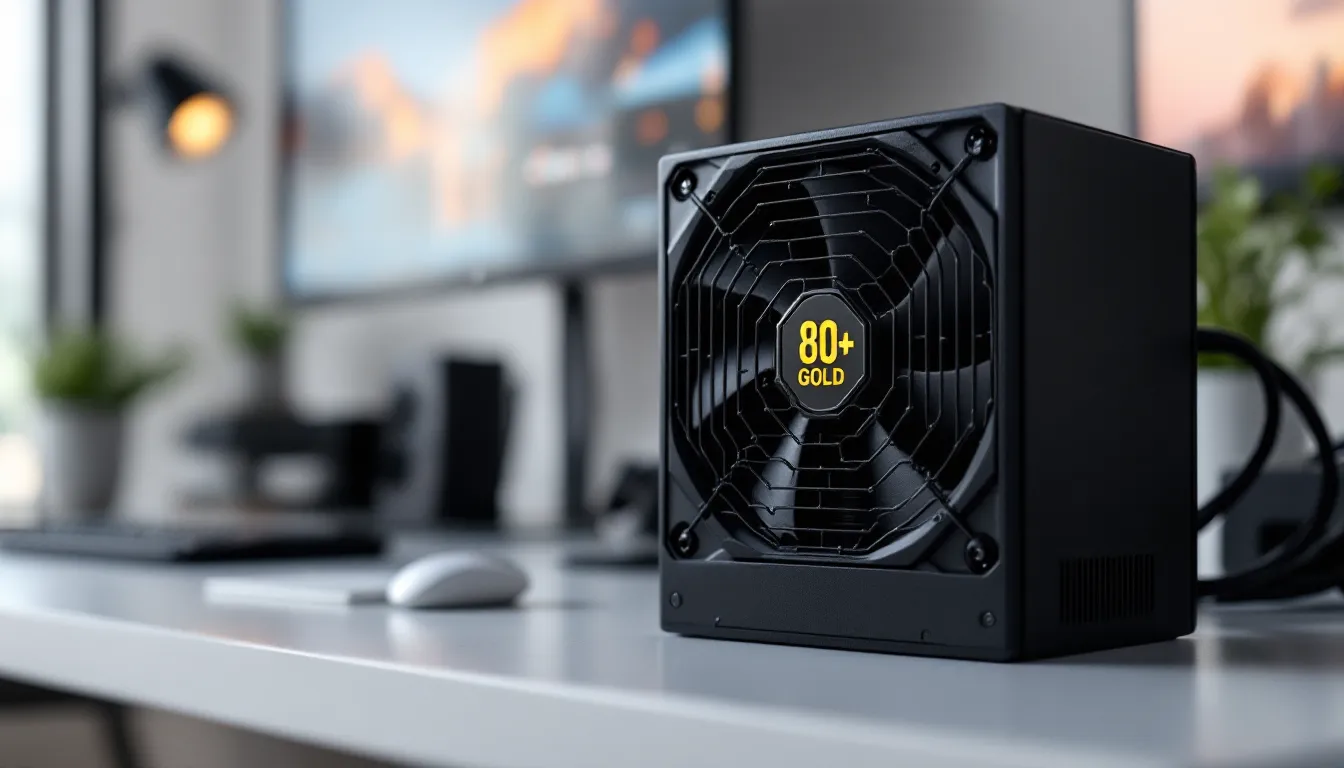
Your GPU might be a beast, and your CPU might be running the latest silicon, but if your power supply unit (PSU) can’t deliver clean, stable power, your entire gaming rig is one crash away from disaster. The PSU is the foundation of any gaming PC, yet it’s the component most builders overlook or cheap out on. That’s a mistake that can cost you in frame drops, system instability, or worse, fried components worth thousands of dollars.
In 2026, choosing the right gaming computer power supply isn’t just about matching wattage to your GPU. With the rise of ATX 3.0 standards, PCIe 5.0 connectors, and power-hungry GPUs pulling transient spikes north of 600W, the stakes are higher than ever. Whether you’re building your first rig or upgrading to handle the latest RTX 50-series or Radeon RX 8000-series cards, understanding PSU fundamentals can mean the difference between a stable, future-proof system and a ticking time bomb. This guide breaks down everything you need to know: wattage calculation, efficiency ratings, modular designs, protection features, and the mistakes that’ll burn your budget.
Key Takeaways
- A quality gaming computer power supply is critical infrastructure that prevents system crashes and protects expensive components from voltage instability and power spikes.
- Calculate your gaming PC’s total power consumption by adding all components (GPU, CPU, motherboard, storage, cooling), then multiply by 1.2–1.3 to determine the correct PSU wattage with adequate headroom.
- Gold-rated efficiency PSUs offer the best value for gaming builds, delivering 90% efficiency while costing only $20–30 more than Bronze units and reducing electricity bills and system heat over time.
- Modern gaming systems require ATX 3.0-compliant PSUs with native PCIe 5.0 12VHPWR connectors to safely handle high-end GPUs like the RTX 40-series and upcoming RTX 50-series without adapter cables.
- Semi-modular PSUs provide the ideal balance for most gamers, offering better cable management and airflow compared to non-modular units while costing less than fully modular options.
- Invest in reputable brands like Seasonic, Corsair, or EVGA with verified voltage regulation, multi-layer protection features (OVP, UCP, OCP), and extended warranties to avoid component damage from failing budget units.
What Is a Gaming Computer Power Supply and Why Does It Matter?
A gaming computer power supply is the component that converts AC power from your wall outlet into the DC voltages your PC components need to function. It’s not glamorous. It doesn’t boost your FPS directly. But it’s the unsung hero that determines whether your $1,500 GPU gets the juice it needs, or whether your system blue-screens mid-raid.
Think of the PSU as the heart of your build. It pumps power through every cable to every component: the motherboard, GPU, CPU, storage drives, RGB lighting, and cooling fans. If the PSU falters, everything downstream suffers. Cheap or inadequate units can introduce voltage fluctuations, coil whine, system crashes, and in catastrophic cases, component failure.
How Power Supplies Affect Gaming Performance
You might assume a PSU either works or it doesn’t, but the reality is more nuanced. A quality power supply delivers stable voltage under load, which directly impacts system stability during gaming sessions. When your GPU ramps up during intense scenes or your CPU spikes during physics calculations, the PSU needs to respond instantly without voltage droop or ripple.
Inadequate or poorly regulated PSUs can cause:
- Random crashes or reboots during GPU-intensive moments
- Stuttering or frame drops when the system can’t draw enough power cleanly
- Throttling on high-end CPUs and GPUs that detect unstable power delivery and dial back performance to protect themselves
- Shortened component lifespan due to inconsistent voltage over time
Modern GPUs like the RTX 4090 or upcoming RTX 5090 can pull transient power spikes, brief surges that exceed their rated TDP by 50% or more. A PSU that can’t handle these spikes will trigger overcurrent protection (OCP) and shut down, hard-stopping your game. That’s not a bug: it’s a feature saving your hardware from damage. But it’s also a sign you chose the wrong unit.
The Hidden Costs of Choosing the Wrong PSU
Skimping on your PSU to allocate more budget to your GPU might seem smart in the short term. It’s not. A failing or inadequate PSU can:
- Kill your components. Voltage spikes or failures can fry motherboards, GPUs, and storage drives. A $60 PSU can destroy $2,000 worth of hardware.
- Waste energy and generate heat. Low-efficiency units convert less AC power to usable DC power, dumping the difference as heat. That means higher electricity bills and a hotter case.
- Limit upgrades. If you buy a 550W PSU for a mid-range build today, you’re locked out of future GPU upgrades that demand 750W or more.
- Create noise. Budget PSUs often use low-quality fans that ramp up loudly under load, turning your gaming den into a wind tunnel.
The hidden cost isn’t just monetary. It’s the hours spent troubleshooting crashes, the anxiety of unstable performance, and the risk of catastrophic failure mid-session. A quality PSU is insurance you pay for once and benefit from for years.
Understanding Power Supply Wattage Requirements for Gaming PCs
Wattage is the headline spec everyone fixates on, but it’s also the most misunderstood. More watts doesn’t automatically mean better, it means capacity. The goal is to match your PSU’s wattage to your system’s peak draw with enough headroom for transient spikes and future upgrades.
Calculating Your Gaming PC’s Power Consumption
To calculate your gaming PC’s power needs, you need to add up the consumption of every component under load. Here’s a typical breakdown:
- GPU: The biggest power hog. High-end cards like the RTX 4080 pull around 320W, while the RTX 4090 hits 450W. Mid-range options like the RTX 4070 sit around 200W.
- CPU: Ranges from 65W for efficient chips like the Ryzen 7 7700X to 250W+ for flagship models like the Intel Core i9-14900K or Ryzen 9 7950X3D under all-core load.
- Motherboard: Typically 50–80W, including chipset, RGB, and power delivery.
- RAM: About 3–5W per stick.
- Storage: NVMe SSDs draw 3–8W each: SATA SSDs and HDDs slightly less.
- Cooling: AIO pumps and case fans add 10–30W collectively.
- Peripherals and RGB: Another 10–20W for USB devices, lighting controllers, and accessories.
Add everything up, then multiply by 1.2 to 1.3 to account for transient power spikes and efficiency losses. For example, if your components total 500W, aim for a 650W to 750W PSU. This headroom ensures your PSU operates in its efficiency sweet spot (typically 50–80% load) rather than being maxed out constantly.
Online PSU calculators from brands like Cooler Master, EVGA, or be quiet. can automate this math, but double-check their GPU and CPU selections against real-world power consumption benchmarks for accuracy.
Recommended Wattage by GPU and CPU Tier
Here’s a quick-reference guide based on 2026 hardware tiers:
Budget Builds (RTX 4060 / RX 7600 + Ryzen 5 / i5):
- Component draw: ~300–350W
- Recommended PSU: 550W (650W for upgrade headroom)
Mid-Range Builds (RTX 4070 / RX 7800 XT + Ryzen 7 / i7):
- Component draw: ~400–500W
- Recommended PSU: 750W
High-End Builds (RTX 4080 / RX 7900 XTX + Ryzen 9 / i9):
- Component draw: ~550–650W
- Recommended PSU: 850W
Enthusiast/4K Builds (RTX 4090 / RTX 5090 + Flagship CPU):
- Component draw: ~700–850W
- Recommended PSU: 1000W to 1200W
Don’t forget: if you’re running custom water cooling loops, multiple GPUs (where supported), or planning to overclock, bump wattage up another tier. And if you’re eyeing next-gen GPUs rumored to push 600W TDP, a 1200W or even 1600W PSU isn’t overkill, it’s preparation.
Power Supply Efficiency Ratings Explained: 80 Plus Bronze to Titanium
The 80 Plus certification is a rating system that measures how efficiently a PSU converts AC power from the wall into DC power for your components. The higher the rating, the less power is wasted as heat. Ratings range from 80 Plus (base) to Bronze, Silver, Gold, Platinum, and Titanium.
Here’s what the certifications mean at typical load (50%):
- 80 Plus (White): 80% efficiency
- 80 Plus Bronze: 85% efficiency
- 80 Plus Silver: 88% efficiency
- 80 Plus Gold: 90% efficiency
- 80 Plus Platinum: 92% efficiency
- 80 Plus Titanium: 94% efficiency
If your system draws 500W from the PSU and it’s 90% efficient (Gold), it’s actually pulling ~555W from the wall. The missing 55W is converted to heat. A Bronze unit at 85% efficiency would pull ~588W, generating 88W of waste heat. That 33W difference might not sound huge, but over thousands of hours of gaming, it adds up, and it impacts case thermals.
Real-World Impact on Your Electricity Bill and System Heat
Let’s run the math. Assume your gaming PC draws 500W under load and you game 4 hours a day, 365 days a year. That’s 1,460 hours annually.
- 80 Plus Gold (90% efficiency): 555W draw = 810 kWh/year
- 80 Plus Bronze (85% efficiency): 588W draw = 859 kWh/year
At $0.13/kWh (US average), the Gold unit costs $105/year to run, while Bronze costs $112/year. That’s a $7/year difference, modest, but over a PSU’s 7–10 year lifespan, you’re looking at $50–70 in savings. More importantly, the Gold unit dumps less heat into your case, potentially extending the life of your GPU and CPU by keeping ambient temps lower.
For gaming builds, Gold-rated PSUs hit the sweet spot of cost vs. efficiency. Platinum and Titanium offer diminishing returns unless you’re running a 24/7 workstation or live somewhere with sky-high electricity rates. Bronze is acceptable for budget builds, but avoid anything below that, it’s not worth the heat or instability risk.
Modular vs. Non-Modular vs. Semi-Modular PSUs for Gaming Builds
PSU modularity refers to whether the power cables are permanently attached to the unit or can be detached. It’s a choice that impacts cable management, airflow, and aesthetics, but not performance. Here’s the breakdown:
- Non-Modular PSU: All cables are hardwired to the unit. Cheapest option, but you’re stuck with every cable whether you need it or not. Expect a nest of unused cables zip-tied in your case.
- Semi-Modular PSU: Essential cables (24-pin ATX, 8-pin CPU) are hardwired: PCIe, SATA, and peripheral cables are detachable. Good middle ground for most gamers.
- Fully Modular PSU: Every cable can be removed. Best for clean builds and advanced cable management, but costs $10–30 more than semi-modular equivalents.
For gaming builds, semi-modular is the sweet spot. You’ll always need the ATX and CPU cables anyway, and having them hardwired ensures you don’t accidentally leave them out during assembly. Fully modular makes sense if you’re building in a compact case or showcasing your build with tempered glass and RGB.
Cable Management and Airflow Considerations
Cable management isn’t just about aesthetics, it directly affects airflow. A rat’s nest of unused cables blocks intake fans and creates dead zones where hot air stagnates. In a well-managed build, cool air flows unobstructed from intakes to exhausts, keeping GPU and CPU temps lower.
With a non-modular PSU, you’re forced to route and hide every unused cable behind the motherboard tray or in the PSU shroud. That’s doable in full-sized ATX cases but a nightmare in ITX or mATX builds where space is tight.
Modular and semi-modular PSUs let you attach only the cables you need, reducing clutter and improving airflow. In testing, builders have measured 2–4°C temperature drops in GPU and CPU temps simply by cleaning up cable routing. That might not sound dramatic, but it translates to quieter fan curves and slightly longer component lifespan.
One more thing: cable quality matters. Premium PSUs include sleeved, flexible cables that route easily. Budget units often have stiff, thick cables that fight you at every bend. If you’re serious about a clean build, invest in the modular option.
Key Power Supply Features Every Gamer Should Know
Beyond wattage and efficiency, several features separate great gaming PSUs from mediocre ones. These technical details might seem like overkill, but they become critical when you’re running cutting-edge hardware or troubleshooting stability issues.
PCIe 5.0 Connectors and ATX 3.0 Standards
In late 2022, the ATX 3.0 specification and PCIe 5.0 power connectors arrived to address the power demands of next-gen GPUs. The headline feature is the 12VHPWR connector (also called 12+4 pin or 16-pin), which delivers up to 600W through a single cable, replacing the forest of 8-pin PCIe cables older GPUs required.
Nvidia’s RTX 40-series and the upcoming RTX 50-series use this connector. If your PSU lacks native 12VHPWR support, you’ll need to use adapter cables (often included with the GPU), but adapters introduce potential points of failure, especially if bent too sharply near the connector, which caused melting issues on early RTX 4090 units.
ATX 3.0 PSUs also include transient response handling designed to tolerate brief power spikes up to 200% of rated TDP without tripping overcurrent protection. Older PSUs might shut down when a modern GPU spikes from 300W to 600W for a fraction of a second during scene loads.
If you’re building or upgrading in 2026, prioritize ATX 3.0-compliant PSUs with native 12VHPWR connectors. They’re not just future-proof, they’re present-proof for current high-end hardware. Several hardware review sites have published extensive testing showing ATX 3.0 units handle transient spikes far more gracefully than legacy designs.
Single Rail vs. Multi-Rail Design
This is an old debate, but it’s still relevant. PSUs distribute power over rails, internal circuits that deliver 12V, 5V, and 3.3V to different components. The question is whether all 12V power flows through a single rail or is split across multiple rails with individual current limits.
- Single Rail: All 12V power shares one circuit. Simpler design, fewer OCP trips, better for high-power GPUs. Risk: if a short occurs, the entire rail can dump current before protection kicks in.
- Multi-Rail: 12V power is divided into separate rails with individual OCP limits (e.g., 20A per rail). Safer in theory, but can cause nuisance shutdowns if one rail is overloaded while others sit idle.
For gaming PCs in 2026, single rail is generally preferred. Modern PSUs have robust OCP that reacts fast enough to prevent damage, and single rail avoids the headache of balancing loads across multiple rails. Most reputable brands (Corsair, Seasonic, EVGA) default to single rail on their gaming-focused units.
Protection Features: OVP, UVP, OCP, and More
A quality PSU includes multiple layers of protection to shut down safely if something goes wrong. Here’s what the acronyms mean:
- OVP (Over Voltage Protection): Shuts down if voltage exceeds safe limits, protecting components from overvoltage damage.
- UVP (Under Voltage Protection): Shuts down if voltage drops too low, preventing unstable operation.
- OCP (Over Current Protection): Trips if a rail draws excessive current, preventing overheating or fire.
- OPP (Over Power Protection): Shuts down if total power draw exceeds the PSU’s rated capacity.
- SCP (Short Circuit Protection): Detects and stops short circuits instantly.
- OTP (Over Temperature Protection): Shuts down if internal temps exceed safe thresholds.
These protections are standard on reputable PSUs. If a unit doesn’t list them explicitly, it’s a red flag. Budget no-name PSUs often skimp on protection circuits, turning your gaming rig into a potential fire hazard.
Top Power Supply Brands and What Sets Them Apart in 2026
Not all PSU brands are created equal. Some have decades of reliability data: others rebrand cheap OEM units and slap a logo on them. In 2026, here are the brands gamers trust, and why.
Seasonic: Often considered the gold standard. Seasonic manufactures its own PSUs (many other brands rebrand Seasonic internals) and has a reputation for rock-solid quality, long warranties (up to 12 years), and excellent voltage regulation. Their Focus and Prime series dominate the high-end gaming market.
Corsair: One of the most recognizable names in PC gaming. Corsair’s RM, RMx, and HX lines are staples in enthusiast builds, offering modular designs, Gold/Platinum efficiency, and robust warranties. They also manufacture some units in-house and partner with Seasonic and CWT for others.
EVGA: Known for exceptional customer support and aggressive warranties. EVGA’s SuperNOVA G6, P6, and T2 series are popular among gamers and overclockers. But, EVGA exited the GPU market in 2022, so their long-term future in PSUs is uncertain, but as of 2026, their existing lineups remain excellent.
be quiet.: A German brand focused on silent operation without sacrificing performance. Their Straight Power and Dark Power Pro series combine low noise, high efficiency, and premium build quality. Ideal for gamers who prioritize acoustics.
Thermaltake: Offers a wide range from budget to high-end. Their Toughpower GF series is a solid mid-range option, though quality varies across their product lines. Double-check reviews for specific models.
Cooler Master: Their V and MWE series provide budget-friendly options with decent reliability, though they don’t quite match Seasonic or Corsair in voltage ripple suppression or component quality.
When choosing a brand, don’t just look at the name, dig into reviews for the specific model. Even top brands occasionally release duds, and OEM partnerships change over time. Independent testing from sites that measure voltage ripple, hold-up time, and transient response is invaluable.
Common Power Supply Mistakes Gamers Make
Building a gaming PC is exciting, but PSU selection is where even experienced builders screw up. Here are the mistakes to avoid.
Skimping on PSU Quality to Save Budget
The PSU is the last place to cut corners. A $50 no-name unit might claim 600W on the box, but if it can’t deliver stable voltage under load, it’s worthless, or worse, dangerous.
Budget PSUs often:
- Use cheap capacitors that degrade quickly, shortening lifespan
- Lack adequate protection circuits
- Exaggerate wattage ratings (claiming 600W but only delivering 450W reliably)
- Generate excessive ripple and voltage fluctuations that stress components
A failing PSU can destroy your motherboard, GPU, and storage drives. Spending an extra $30–50 on a reputable Bronze or Gold unit is cheap insurance. Think of it this way: if your PSU fries a $700 GPU, you didn’t save money, you wasted it.
Overestimating or Underestimating Wattage Needs
Both extremes are problematic.
Underestimating wattage means your PSU runs at or near max capacity constantly, generating excess heat, reducing lifespan, and risking shutdowns during transient spikes. If you build a system that pulls 550W and pair it with a 600W PSU, you’re setting yourself up for trouble. That PSU is operating at 90%+ load, outside its efficiency sweet spot, and any future upgrade is impossible.
Overestimating wattage wastes money and can hurt efficiency. PSUs are most efficient at 50–80% load. If you buy a 1600W PSU for a system that only draws 400W, you’re paying for capacity you’ll never use, and the PSU might run less efficiently at such low loads. Plus, you’ve wasted $100+ that could’ve gone toward a better GPU or more RAM.
The sweet spot: calculate your system’s peak draw, add 20–30% headroom, and buy that wattage. For example, if your build pulls 500W, a 650W or 750W PSU is perfect. That leaves room for upgrades and keeps the PSU in its efficiency zone.
Another mistake: assuming wattage equals quality. A 1000W no-name PSU is worse than a 750W Seasonic. Wattage is capacity, not reliability. Focus on brand reputation, efficiency rating, and protection features first, then match wattage to your needs.
How to Future-Proof Your Gaming PC Power Supply
Future-proofing a PSU means buying enough capacity and the right features to handle hardware upgrades for the next 5–7 years. Here’s how to do it.
1. Oversize wattage by one tier. If your current build needs 650W, buy an 850W PSU. This leaves headroom for next-gen GPUs that might jump from 300W to 400W TDP, or if you decide to upgrade your CPU to a flagship model.
2. Prioritize ATX 3.0 and PCIe 5.0 support. If you’re buying in 2026, don’t settle for a legacy PSU. Native 12VHPWR connectors and transient spike handling are essential for current and upcoming GPUs. Even if your GPU doesn’t need it yet, your next one likely will.
3. Go modular or semi-modular. Cable standards evolve. Modular PSUs let you swap in new cable sets if connector standards change, extending usability. Plus, clean cable management never goes out of style.
4. Choose a long warranty. Top-tier PSUs come with 10–12 year warranties because the manufacturer expects them to last that long. A longer warranty signals higher build quality and gives you peace of mind. If your PSU fails in year 6, you’re covered, assuming the brand is still in business.
5. Buy Gold efficiency or higher. The upfront cost difference between Bronze and Gold is $20–30, but Gold units tend to use better capacitors and components overall. They also age more gracefully, maintaining efficiency over time.
6. Don’t chase trends, chase reliability. RGB PSUs and tempered glass windows are cool, but they don’t affect performance. Spend your budget on wattage, efficiency, and brand reputation, not aesthetics.
One more tip: if you’re planning a major GPU upgrade in the next 1–2 years, buy the PSU you’ll need then, not the PSU you need now. GPU prices fluctuate, but PSU prices are relatively stable. Locking in a future-ready 1000W unit today means one less compatibility worry when the RTX 6090 or RX 9900 XT drops.
According to long-term testing and reviews, high-quality PSUs can operate reliably for 10+ years if not pushed to max capacity constantly. That makes a good PSU one of the best value-per-dollar investments in a gaming build.
Signs Your Gaming PSU Needs Replacement
PSUs don’t always fail catastrophically. Sometimes they degrade slowly, causing intermittent issues that are tough to diagnose. Here are the warning signs that your PSU is on its way out.
Random shutdowns or reboots under load: If your PC crashes during gaming but runs fine during idle or light tasks, the PSU might be struggling to deliver power under high load. This is especially common with aging or low-quality units.
Coil whine or unusual noises: All PSUs produce some coil whine (a high-pitched electrical hum) under load, but if it suddenly gets louder or you hear grinding, clicking, or buzzing from the PSU fan, that’s a red flag. A failing fan can lead to overheating and shutdown.
Burning smell or visible damage: If you smell burning plastic or electronics, shut down immediately and inspect the PSU. Scorched cables, discolored connectors, or bulging capacitors visible through the PSU grill are signs of imminent failure.
System instability, crashes, or blue screens: Inconsistent power delivery can cause hard-to-diagnose crashes, BSODs, or application errors. If you’ve ruled out GPU, RAM, and storage issues, the PSU is a prime suspect.
Overheating or excessive fan noise: PSU fans ramp up under load, but if the fan is screaming constantly or the PSU casing feels unusually hot to the touch, internal components might be failing or clogged with dust.
Age: If your PSU is 7–10+ years old, it’s lived a full life. Even if it’s working fine, capacitors degrade over time, reducing efficiency and voltage stability. Consider replacing it preemptively, especially if you’re upgrading other components.
Voltage fluctuations: If you have a multimeter or hardware monitoring software, check the 12V, 5V, and 3.3V rails. Deviations of more than ±5% indicate poor regulation and potential failure.
If you experience multiple symptoms, don’t gamble, replace the PSU. A failing unit can take other components with it. And if your PSU is from a no-name brand or lacks proper protections, replace it even if it seems fine. It’s a matter of when, not if, it causes trouble.
Conclusion
The gaming computer power supply is the most underrated component in your build. It doesn’t add FPS. It doesn’t light up your desk with RGB. But it determines whether your $2,000 rig runs flawlessly for a decade or crashes mid-raid because you saved $40 on a sketchy no-name unit.
Choosing the right PSU in 2026 means understanding wattage requirements, respecting efficiency ratings, embracing ATX 3.0 and PCIe 5.0 standards, and trusting reputable brands with real track records. It means calculating your system’s power draw accurately, leaving headroom for transient spikes and future upgrades, and never, ever cheaping out to redirect budget elsewhere.
Your PSU is the foundation. Build it right, and everything else falls into place. Skimp on it, and you’re one power spike away from rebuilding the whole thing. Choose wisely.