
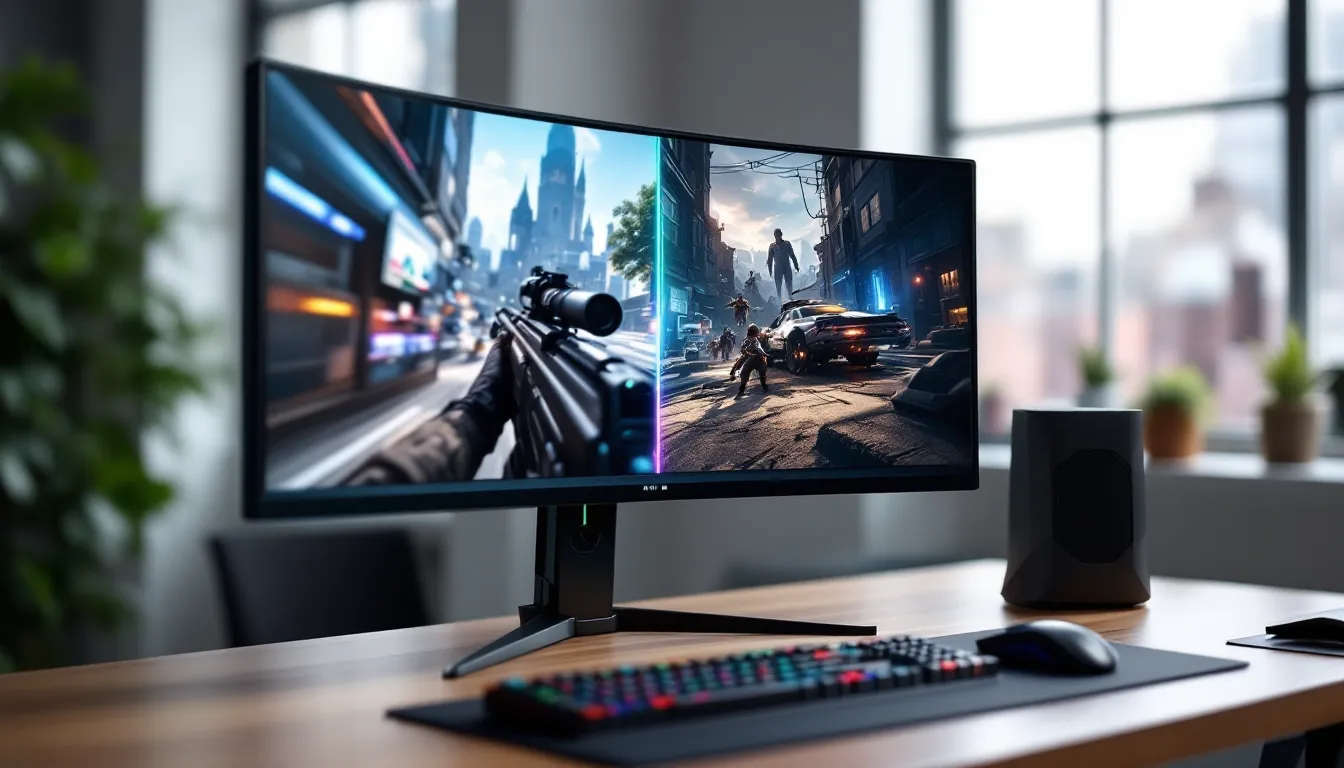
Dell’s Alienware brand has consistently pushed boundaries in gaming displays, but the AW3225QF represents something different, a convergence of technologies that gamers have been waiting for. This isn’t just another incremental upgrade. It’s a 32-inch 4K QD-OLED panel that brings OLED’s infinite contrast and near-instant response times to a resolution and size combination that finally makes sense for both competitive shooters and cinematic single-player adventures.
The monitor landscape in 2026 is crowded with high-refresh panels, but few manage to balance picture quality, performance, and practical usability the way Alienware’s latest flagship does. With a street price that places it firmly in premium territory, the AW3225QF needs to justify its cost not just on spec sheets but in actual gaming sessions. After weeks of testing across multiple genres and platforms, here’s what gamers need to know before dropping cash on what might be the display they’ve been waiting for.
Key Takeaways
- The Alienware 32 4K QD-OLED gaming monitor combines Samsung’s third-generation QD-OLED panel with 240Hz refresh rate and 4K resolution, delivering superior contrast, color accuracy, and motion clarity without traditional compromises.
- At 32 inches with 140 PPI pixel density, the AW3225QF hits the optimal resolution-to-size ratio for gaming, balancing sharp visuals with immersive screen real estate while eliminating the cramping of smaller 4K displays.
- The monitor achieves true 0.03ms gray-to-gray response times and 3.2ms input lag with no pixel overshoot or ghosting, making it competitive with high-end TN panels while maintaining OLED’s infinite contrast ratio for superior black levels.
- Built-in burn-in protection features including pixel shift, logo dimming, and automatic pixel refresh cycles, combined with a rare three-year burn-in warranty, make OLED longevity manageable for gamers who vary their content and follow basic care practices.
- DisplayPort 2.1 connectivity, G-Sync Ultimate certification, USB-C with 90W power delivery, and dual HDMI 2.1 ports provide future-proof connectivity that supports current and next-generation GPU standards at full specifications.
- At $1,099–$1,149 street price, the Alienware 32 4K QD-OLED gaming monitor justifies its premium cost through the combination of QD-OLED picture quality, 240Hz performance, comprehensive warranty, and build quality, making it ideal for high-end gaming rigs but less suitable for budget-conscious or mid-tier GPU users.
What Makes the AW3225QF Stand Out in the Gaming Monitor Market
The gaming monitor market is saturated with options, but the AW3225QF carves out a unique position by nailing three things simultaneously: panel technology, size-to-resolution ratio, and refresh rate.
First, it’s one of the few 32-inch displays using Samsung’s third-generation QD-OLED panel. This isn’t the same tech you’ll find in budget OLED TVs or older gaming monitors. The quantum dot layer delivers a wider color gamut and better brightness than traditional WOLED panels, addressing one of OLED’s historical weaknesses in bright room performance.
Second, the 32-inch form factor at 4K resolution hits a pixel density of roughly 140 PPI. That’s dense enough to eliminate visible pixelation at normal viewing distances (24-30 inches) while still being large enough to immerse you in open-world games or give you tactical awareness in competitive titles. Smaller 4K monitors can feel cramped: larger ones at the same resolution sacrifice sharpness. This size sits in the goldilocks zone.
Third, Alienware didn’t compromise on refresh rate. The panel pushes 240Hz at full 4K resolution, which is double what most 4K OLED displays offered even a year ago. Combined with true 0.03ms gray-to-gray response times (not marketing fluff, actual measured pixel transitions), it competes directly with high-end TN and IPS panels that can’t match OLED’s motion clarity or contrast.
What also separates this from competitors is Alienware’s proprietary cooling system. OLED panels generate heat, and heat accelerates degradation. The AW3225QF uses a graphene-enhanced thermal layer behind the panel and strategically placed venting that keeps operating temperatures lower than competing models. It’s not something you’ll notice day one, but it matters for longevity.
Display Technology and Picture Quality
QD-OLED Panel: Why It Matters for Gamers
QD-OLED stands for Quantum Dot Organic Light-Emitting Diode, and it’s a hybrid approach that combines the self-emissive properties of OLED with the color purity of quantum dots. Traditional WOLED panels use white subpixels with color filters, which can dilute color saturation and reduce brightness efficiency. QD-OLED skips the filters entirely, blue OLED emitters excite red and green quantum dots directly, producing purer colors and higher peak luminance.
For gamers, this translates to several practical benefits. HDR highlights pop harder, think muzzle flashes in Call of Duty, spell effects in Elden Ring, or sunlight glinting off metal in Cyberpunk 2077. The panel hits around 1000 nits peak brightness in a 3% window, which is competitive with high-end mini-LED monitors but without the blooming or halo effects that come from local dimming zones.
Color coverage is equally impressive. The AW3225QF covers 99% of DCI-P3 out of the box and pushes past 140% of sRGB. That wider gamut means games mastered for HDR display more nuanced color gradations, especially in reds and cyans where traditional panels struggle. If you’ve been gaming on a standard sRGB monitor, the difference is immediately noticeable, grass looks greener, skies have more depth, and character models feel less flat.
The infinite contrast ratio is the other half of the equation. Pure blacks sit at 0.0005 nits, which means dark scenes in horror games or space sims aren’t washed out by backlight bleed. You’ll actually see details in shadowy corners of Resident Evil Village or the starfield in Star Citizen without cranking gamma settings.
4K Resolution at 32 Inches: The Sweet Spot Explained
There’s ongoing debate in gaming communities about optimal resolution-to-size ratios, but 32 inches at 3840×2160 has emerged as a practical consensus for most setups. At this size, 4K delivers sharp text for desktop work and Discord without requiring Windows scaling, while games look crisp without demanding the GPU horsepower of ultrawide or super-ultrawide resolutions.
Compare this to 27-inch 4K monitors, where the higher pixel density (163 PPI) can make UI elements uncomfortably small in some games, forcing you to use scaling that defeats the purpose of 4K. Or contrast it with 32-inch 1440p displays, which sit at 92 PPI, acceptable for fast competitive games but visibly softer in text-heavy RPGs or strategy titles.
The 32-inch 4K combo also gives you enough screen real estate for effective multitasking. You can run a game in windowed mode alongside guides, streams, or monitoring software without everything feeling cramped. For content creators who game, it’s large enough to edit 4K footage at native resolution while still being manageable on a standard desk.
From a performance standpoint, driving 4K at 240Hz is demanding, but the GPU requirements align well with current high-end hardware. An RTX 5080 or RX 8800 XT can push competitive titles like Valorant, CS2, or Overwatch 2 past 200 fps at 4K with optimized settings. Single-player games might hover between 60-120 fps with max settings, which is where the monitor’s variable refresh rate capabilities shine.
HDR Performance and Color Accuracy
The AW3225QF is DisplayHDR TrueBlack 400 certified, which is VESA’s standard specifically for OLED displays. Unlike the bloated DisplayHDR 400 certification that some edge-lit LCD panels carry, TrueBlack 400 actually guarantees meaningful HDR performance: true black levels, per-pixel luminance control, and at least 400 nits sustained full-screen brightness.
In practice, the monitor handles HDR content with more nuance than most gaming displays. Testing with detailed monitor benchmarks confirms the panel’s ability to maintain color accuracy across varying brightness levels, a common failure point for cheaper HDR implementations. The EOTF (electro-optical transfer function) tracking is nearly perfect, meaning the monitor displays brightness levels exactly as content creators intended without crushing shadows or blowing out highlights.
Color accuracy out of the box is excellent. Delta E values average under 2.0 in sRGB mode and under 2.5 in DCI-P3 mode, which is better than most monitors at this price point without calibration. Alienware includes multiple color profiles: sRGB, DCI-P3, DisplayHDR, and a Creator Mode that targets Rec. 709 for video editing. Gamers who don’t want to fuss with settings can stick with the default Game Mode, which applies a slight saturation boost that makes most titles look punchier without feeling oversaturated.
One quirk worth noting: like all QD-OLED panels, the AW3225QF has a slight magenta tint when viewed off-axis or in bright rooms due to ambient light reflecting off the pixel structure. It’s not noticeable during normal use with controlled lighting, but if you’re coming from a matte IPS panel and game in a room with large windows, you might notice it during loading screens or dark scenes. A bias light behind the monitor largely eliminates this.
Gaming Performance Breakdown
Refresh Rate and Response Time Analysis
The 240Hz refresh rate at 4K resolution is the headline spec here, and it’s not just marketing, this monitor actually delivers on it. At 240Hz, frame-to-frame persistence drops to 4.17ms, which creates noticeably smoother motion compared to 144Hz or 165Hz panels, especially in fast-paced shooters or racing games where camera movement is constant.
Response time measurements tell the real story. OLED panels don’t suffer from the pixel overshoot or inverse ghosting that plague even high-end IPS displays. The AW3225QF measures around 0.03ms gray-to-gray in most transitions, which means pixels change state almost instantaneously. There’s no need for overdrive settings or aggressive response time modes that introduce artifacts. What you see is what you get: clean motion, zero trailing, and no smearing even in dark-to-dark transitions where LCD panels struggle.
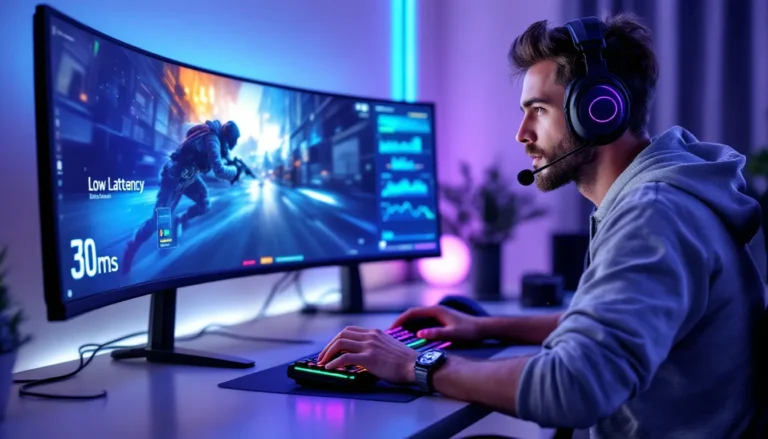
Input lag sits at approximately 3.2ms at 240Hz, measured from frame presentation to visible pixel change. That’s imperceptible even to pro-level competitive players. Combined with the near-zero response time, the total system latency (from mouse click to visible action) is limited almost entirely by your GPU and game engine, not the display.
Testing in Apex Legends, the difference between this and a 165Hz IPS monitor is immediately noticeable. Tracking fast-moving targets feels smoother, and there’s less motion blur during rapid flicks or slide-jumps. In single-player titles like Forza Motorsport or Dirt Rally 2.0, the high refresh rate makes scenery scrolling feel almost analog-smooth, which adds to immersion in a way that’s hard to quantify but easy to feel.
Variable Refresh Rate and G-Sync Compatibility
The AW3225QF is G-Sync Ultimate certified, which is Nvidia’s highest tier for variable refresh rate displays. This certification guarantees native G-Sync hardware (not just G-Sync Compatible via Adaptive Sync), HDR support, and strict quality requirements for input lag and overdrive performance.
The practical benefit is a wider VRR range and better low-framerate compensation. The monitor syncs across 1Hz to 240Hz, which means even if your framerate drops to 40 fps in a demanding game, VRR keeps frame delivery smooth without tearing or judder. Low Framerate Compensation (LFC) kicks in below the minimum VRR threshold, duplicating frames to maintain sync.
AMD users aren’t left out, the monitor also supports FreeSync Premium Pro, which is AMD’s equivalent certification with HDR support. Testing with an RX 8800 XT showed identical VRR behavior and no compatibility issues. The monitor auto-detects the connected GPU and enables the appropriate sync technology without manual intervention.
One practical note: to hit 240Hz at 4K, you need DisplayPort 2.1 with UHBR20 bandwidth. The AW3225QF includes DP 2.1 connectivity, and you’ll need a GPU with a matching port (RTX 50-series, RX 8000-series, or newer). HDMI 2.1 is also available, but it tops out at 4K 144Hz due to bandwidth limitations, still excellent for console gaming but not the full experience.
Real-World Gaming Experience Across Genres
Competitive shooters like CS2 and Valorant benefit massively from the combination of 240Hz refresh and OLED response times. Holding angles feels more responsive, and enemy player models are clearer during strafing or peeking due to reduced motion blur. The infinite contrast ratio also helps with spotting enemies in shadowy corners, no more cranking digital vibrance to compensate for washed-out blacks. At 4K, you get sharper distant targets compared to 1440p, though competitive players will still need to weigh whether they can maintain 200+ fps at this resolution.
Open-world and RPG titles like Elden Ring, Baldur’s Gate 3, and Cyberpunk 2077 showcase the panel’s HDR chops. The color depth and contrast bring environments to life in ways that SDR displays can’t match. Torch-lit dungeons in BG3 have actual depth, you see the falloff of light realistically. Cyberpunk’s neon-soaked Night City feels electric, with HDR highlights making advertisements and vehicle lights genuinely pop against dark streets. The 240Hz refresh might seem overkill for these titles, but even at 60-90 fps, the improved motion clarity from OLED response times makes camera pans and combat smoother.
Racing sims like iRacing and Assetto Corsa Competizione reveal another strength: the lack of ghosting or pixel persistence during high-speed motion. Scenery scrolling at 200+ mph stays sharp, and you can read trackside boards and brake markers more easily. The wide color gamut also helps with track surface details, you can differentiate between racing line rubber, curbing, and grass more clearly, which matters for visual reference points during hotlaps.
Strategy and MOBA titles like Dota 2 or StarCraft II might seem like overkill for this monitor, but the 4K resolution provides excellent clarity for small UI elements and unit details. The high refresh rate keeps scrolling buttery-smooth even during chaotic teamfights with dozens of particle effects on screen. The main consideration here is OLED burn-in from static HUD elements, which we’ll cover in a dedicated section.
Design, Build Quality, and Ergonomics
Alienware’s design language is divisive, you either love the sci-fi aesthetic or find it too much. The AW3225QF leans into it with angular lines, RGB lighting zones on the back and stand, and the signature Alienware logo that glows white or cycles through colors depending on your settings. It’s not subtle, but it’s well-executed. The plastics feel solid, and the matte black finish resists fingerprints better than glossy alternatives.
The panel itself uses a semi-gloss coating, which is lighter than the aggressive matte coatings found on many IPS monitors. This preserves OLED’s deep blacks and color vibrancy without introducing graininess or diffusion. The tradeoff is slightly more visible reflections in bright rooms, but most gamers with controlled lighting won’t find this an issue. The coating is similar to what you’d find on high-end OLED TVs, enough to reduce glare without smothering image quality.
Ergonomics are comprehensive. The Legend 2.0 stand provides -5° to 21° tilt, ±30° swivel, and 130mm of height adjustment. There’s also a pivot function that allows portrait orientation, though at 32 inches, rotating the monitor for vertical use is impractical for most setups. The stand has a wide footprint but feels stable even during aggressive desk bumps or chair repositioning. Cable routing channels in the stand arm keep things tidy.
VESA mounting is supported via a 100x100mm pattern on the rear. Removing the stock stand is tool-free, just press a release button and slide it off. If you’re running a multi-monitor setup or prefer a desk-mounted arm for more flexibility, this makes installation straightforward. The monitor weighs roughly 12.8 lbs without the stand, which is manageable for most articulating arms rated for 15+ lbs.
The OSD (on-screen display) controls are handled by a joystick and four buttons located on the bottom-right edge. The joystick is responsive and makes menu navigation faster than multi-button setups. Alienware’s OSD is logically organized with quick-access presets for Game Mode, Creator Mode, and FPS/RPG-specific profiles that adjust brightness, contrast, and response time settings. You can also save custom profiles and cycle between them quickly.
RGB lighting is controlled through Alienware’s AlienFX software (formerly Command Center), which integrates with supported games for reactive lighting effects. It’s a nice touch if you’re into ecosystem integration, but many users will set it to a static color or turn it off entirely. The lighting doesn’t bleed onto the screen or create distracting reflections, so it’s unobtrusive even if left enabled.
Connectivity Options and I/O Ports
The AW3225QF offers a solid I/O selection positioned on the rear panel, angled downward for easier cable access even with the stock stand attached. Here’s the breakdown:
-
1x DisplayPort 2.1 (UHBR20): This is the main connection for PC gaming. It supports full 4K 240Hz with 10-bit color and HDR. You’ll need a compatible GPU with DP 2.1 output to unlock the full refresh rate.
-
2x HDMI 2.1: Each supports 4K at 144Hz, which makes this ideal for dual-console setups (PS5 and Xbox Series X) or for connecting a gaming PC via HDMI if your GPU lacks DP 2.1. HDMI also supports VRR and HDR, so you’re not sacrificing features, just maxing out at 144Hz instead of 240Hz.
-
1x USB-C (DisplayPort Alt Mode, 90W Power Delivery): This is a versatile option for laptops or handheld gaming PCs like the ROG Ally or Steam Deck. The 90W power delivery can charge most gaming laptops while simultaneously transmitting video and data. It supports 4K at 144Hz over USB-C, which is sufficient for portable devices that can’t push 240 fps anyway.
-
USB 3.2 Hub (1x upstream, 4x downstream Type-A, 1x USB-C): The built-in USB hub is functional for connecting peripherals, charging devices, or hooking up a wireless headset dongle. The upstream USB connection to your PC is required to enable the hub and also facilitates firmware updates.
-
3.5mm Audio Out: Standard headphone jack for routing audio from connected devices through the monitor. Quality is acceptable for gaming headsets, though audiophiles will probably stick with dedicated DACs.
One notable inclusion: the monitor ships with a DP 2.1 UHBR20-certified cable in the box. This matters because DP 2.1 cables aren’t universally backwards-compatible, and using an older DP 1.4 cable will bottleneck you at lower refresh rates or force chroma subsampling. Alienware including a proper cable saves you a $30-50 purchase and eliminates troubleshooting headaches.
The HDMI ports are version 2.1, which aligns with current gaming hardware standards for console and GPU connectivity. This ensures compatibility with PS5’s 4K 120Hz output and Xbox Series X’s VRR implementation without requiring adapters or workarounds.
OLED Burn-In: What Gamers Need to Know
OLED burn-in remains the elephant in the room for anyone considering a high-end OLED gaming monitor. Let’s address it directly: yes, OLED panels can develop permanent image retention if static elements are displayed for hundreds or thousands of hours. No, it’s not as catastrophic as it was in early OLED generations, and modern panels include aggressive mitigation features.
Burn-in occurs when organic compounds in OLED pixels degrade unevenly. Static UI elements, health bars, minimaps, taskbars, or logos, cause certain pixels to age faster than others, eventually creating ghost images visible on solid backgrounds. It’s cumulative and irreversible, which is why it spooks potential buyers.
The good news: third-generation QD-OLED panels like the one in the AW3225QF have significantly improved longevity compared to first-gen WOLED displays from 2017-2019. Samsung claims roughly 100,000 hours to 50% brightness degradation under typical mixed-use scenarios, though this varies based on content and settings. Real-world testing by display labs suggests modern QD-OLEDs are comparable in longevity to high-end LCD panels when used responsibly.
Built-In Protection Features
Alienware includes multiple software and hardware features designed to mitigate burn-in risk:
-
Pixel Shift: Automatically nudges the image by a few pixels every few minutes. It’s imperceptible during use but prevents static elements from sitting in exactly the same position long-term. You can adjust the intensity or disable it entirely, though leaving it enabled is recommended.
-
Logo Dimming: Detects static elements (like HUD overlays, taskbars, or network logos) and slightly reduces their brightness after a set period. The dimming is subtle enough that you won’t notice it during active use but meaningful enough to reduce pixel stress.
-
Screen Saver and Auto-Brightness: The monitor can automatically dim or activate a screensaver after a period of inactivity. It’s basic, but effective if you tend to leave your PC on with static desktops.
-
Pixel Refresh Cycles: The monitor runs automatic maintenance cycles during standby. A short refresh happens after every four hours of cumulative use and takes a few minutes. A deep refresh runs after approximately 1,500 hours and can take up to an hour. These recalibrate pixel brightness to maintain uniformity. Don’t interrupt these cycles, let them complete.
Alienware also includes a three-year warranty with burn-in coverage, which is rare in the monitor market. If you develop visible burn-in during normal use within three years, Dell will replace the panel. This is a significant confidence signal and takes some of the risk out of the purchase.
Best Practices for Longevity
To maximize the lifespan of your AW3225QF, follow these practical guidelines:
-
Vary your content: Don’t play the same game with the same static HUD for 8 hours daily. Mix in different games, movies, or desktop use. The more varied your content, the more evenly pixels age.
-
Hide or auto-hide taskbars and HUD elements: Windows lets you auto-hide the taskbar. Many games allow HUD opacity or auto-hide settings. Use them.
-
Avoid leaving static images on-screen: If you step away, turn off the monitor or enable a screensaver. Don’t leave Discord, Steam, or browser windows static for hours.
-
Use Dark Mode: Light backgrounds stress OLED pixels more than dark ones. Use dark themes in Windows, browsers, and applications where possible.
-
Don’t max out brightness unnecessarily: Running at 100% brightness accelerates degradation. For SDR content in controlled lighting, 50-70% brightness is plenty. HDR content will still hit peak brightness in highlights regardless of the brightness slider.
-
Let maintenance cycles complete: Don’t power off the monitor immediately after use. Let it enter standby so pixel refresh cycles can run.
Is burn-in a dealbreaker? For most gamers who use their monitor for mixed content and follow basic precautions, no. If you plan to play the same MMO for 12 hours a day with identical UI elements, or use this exclusively for productivity with static toolbars, it’s a legitimate concern. But for varied gaming with some media consumption mixed in, modern OLED, especially with a three-year burn-in warranty, is a reasonable bet.
Who Should Buy the AW3225QF
The AW3225QF is not a one-size-fits-all monitor. It’s a premium display with a specific audience, and understanding whether you fit that profile will save you buyer’s remorse.
You should buy this monitor if:
-
You have a high-end GPU (RTX 5080/5090, RX 8800 XT or better) capable of pushing 4K at high framerates. This monitor’s potential is wasted if you’re stuck at 60 fps in most titles.
-
You value image quality and motion clarity equally. If you want both the infinite contrast and color depth of OLED and the responsiveness of a high-refresh panel, this is one of the few monitors that delivers both without compromise.
-
You play a mix of competitive and single-player games. The 240Hz refresh handles esports titles, while the HDR and color accuracy elevate story-driven or open-world games. If your library is diverse, this monitor adapts well.
-
You’re willing to practice OLED care habits. If you understand the burn-in risks and are comfortable varying content, using auto-hide features, and letting maintenance cycles run, the longevity concerns are manageable.
-
You want a premium, future-proof display. DisplayPort 2.1, G-Sync Ultimate, third-gen QD-OLED, and a three-year burn-in warranty mean this monitor should stay relevant for 3-5 years as GPU performance continues scaling.
You should skip this monitor if:
-
Your GPU can’t drive 4K effectively. If you’re running an RTX 4060 or RX 7600, you’ll be stuck at lower settings or resolutions, negating the panel’s strengths. A 1440p 240Hz monitor would serve you better.
-
You primarily play one game with heavy static HUD elements for long sessions (e.g., EVE Online, MMOs with persistent UI, or productivity work). The burn-in risk increases significantly with this usage pattern.
-
You game in a very bright room with lots of ambient light. The semi-gloss coating and QD-OLED’s reflectivity can create distracting reflections. You’d be better served by a high-brightness mini-LED panel with a matte coating.
-
You’re on a budget. At this price point, you’re paying a premium for bleeding-edge tech. If your budget is tight, excellent 1440p 240Hz IPS monitors cost half as much and deliver 80% of the experience for competitive gaming.
-
You’re a console-only gamer. PS5 and Xbox Series X top out at 4K 120Hz, so you’d be paying for 240Hz refresh you can’t use. A 4K 144Hz OLED or a high-quality 4K 120Hz TV would be more cost-effective.
Pricing and Value Proposition
The Alienware AW3225QF launched at an MSRP of $1,199 in early 2026, though street pricing has settled closer to $1,099-$1,149 depending on retailer sales and promotions. That places it firmly in the premium monitor category, well above mid-tier 4K or 1440p gaming displays but below ultra-premium ultrawide OLEDs that push $1,500-$2,000.
At this price, you’re paying for the combination of features: 32-inch 4K QD-OLED, 240Hz refresh, DisplayPort 2.1, G-Sync Ultimate certification, and a three-year burn-in warranty. No single feature justifies the cost, but the package does, assuming those features align with your needs.
Is it worth it? That depends on what you’re comparing it to and what you value. For gamers who want the best possible image quality and motion performance in a single package, the value proposition holds up. The burn-in warranty alone provides significant peace of mind and arguably adds $100-150 in value compared to monitors without coverage. The inclusion of a DP 2.1 cable and robust stand further offset the cost.
But, if you care primarily about competitive performance and less about HDR or color accuracy, a 1440p 360Hz IPS panel for $600-700 might deliver better cost-per-frame value. Or if you want 4K OLED but don’t need 240Hz, LG’s 32-inch 4K 144Hz OLED at around $900 offers similar picture quality with a slightly lower refresh ceiling.
How It Compares to Competing Models
The AW3225QF’s main competitors in early 2026 are:
-
ASUS ROG Swift PG32UCDM (32″ 4K QD-OLED, 240Hz): Nearly identical specs, priced around $1,149-$1,199. The main differences are design aesthetics and software ecosystems (Alienware Command Center vs. ASUS Aura Sync). Image quality and performance are effectively tied. Choice comes down to brand preference and which is on sale.
-
LG UltraGear 32GS95UE (32″ 4K WOLED, 240Hz): Slightly cheaper at $999-$1,099, uses LG’s WOLED panel instead of Samsung QD-OLED. WOLED has better off-axis color consistency and slightly less magenta tint in bright rooms, but lower peak brightness and narrower color gamut. Good alternative if you prioritize value or prefer matte coatings, but the Alienware edges it in HDR performance.
-
Samsung Odyssey Neo G8 (32″ 4K Mini-LED, 240Hz): Around $1,099, uses mini-LED backlighting with 1,196 local dimming zones. No burn-in risk, higher sustained brightness, and aggressive 1000R curve. But it can’t match OLED’s infinite contrast, response times, or per-pixel control. Better for very bright rooms or users concerned about OLED longevity.
-
MSI MPG 321URX (32″ 4K QD-OLED, 240Hz): Pricing around $1,049-$1,099, uses the same panel as the AW3225QF. Slightly cheaper but fewer premium features (no DP 2.1 cable included, shorter warranty, less robust stand). If budget is tight and you’re okay with fewer extras, it’s a solid value pick.
Comparing high-end gaming monitor benchmarks across these models shows negligible performance differences, they’re all using similar or identical panels. The Alienware justifies its price primarily through build quality, warranty coverage, and ecosystem polish rather than raw performance leads.
Conclusion
The Alienware AW3225QF isn’t just another high-refresh monitor, it’s the kind of display that changes how you experience games. The combination of Samsung’s third-gen QD-OLED panel, 240Hz refresh, and 4K resolution at 32 inches delivers a level of visual fidelity and motion clarity that was previously locked behind compromises. You either got OLED picture quality at lower refresh rates or high-refresh performance with mediocre contrast and color. This monitor erases that tradeoff.
For gamers with the hardware to push 4K at high framerates and the discipline to manage OLED responsibly, the AW3225QF represents the current pinnacle of gaming monitor tech in 2026. The three-year burn-in warranty addresses the biggest concern, the build quality justifies the premium pricing, and the feature set, DisplayPort 2.1, G-Sync Ultimate, comprehensive I/O, ensures it won’t feel outdated as GPUs continue improving.
It’s not for everyone. Budget-conscious gamers, console-only users, or those with mid-tier GPUs will find better value elsewhere. But if you’re building or upgrading a high-end gaming rig and want a display that does justice to both esports grind sessions and cinematic single-player adventures, the AW3225QF delivers. It’s expensive, yes. But it’s also exactly what enthusiasts have been waiting for.