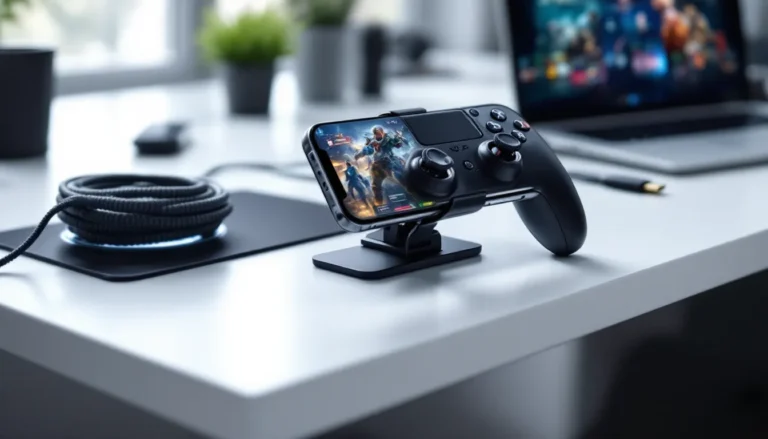


LAN parties are dead. Long live mobile gaming sessions from literally anywhere.
Whether you’re grinding ranked matches from a coffee shop, streaming your gameplay from a hotel room, or just dealing with sketchy home internet that can’t handle your competitive needs, mobile WiFi has become a legitimate solution for gamers in 2026. We’re not talking about the laggy, unreliable tethering you might remember from years ago, modern mobile hotspots with 5G connectivity are hitting latencies low enough for competitive play, with speeds that rival or even exceed some traditional broadband connections.
But here’s the thing: not all mobile WiFi is created equal for gaming. A device that works fine for checking email or streaming Netflix can still leave you with rubber-banding, packet loss, and rage-inducing lag spikes mid-match. This guide breaks down what actually matters for gaming performance, which devices deliver in real-world conditions, and how to optimize your setup so you’re never at a connectivity disadvantage, no matter where you play.
Key Takeaways
- Modern 5G mobile WiFi delivers sub-30ms latency competitive enough for online gaming, outperforming traditional home internet in portability while addressing consistency challenges through optimal placement and device selection.
- Data consumption for online gaming is minimal (20-100 MB per hour), making even a 30 GB plan viable for competitive play when large downloads are handled on home internet.
- The best mobile WiFi for gaming prioritizes latency and jitter stability over raw speed—features like Qualcomm Snapdragon X65 chipsets, WiFi 6E, and QoS settings matter far more than advertised Mbps.
- Dedicated mobile hotspots deliver 5-15ms lower latency and better thermal management than smartphone tethering, making them essential for consistent competitive gaming performance.
- Carrier selection and network congestion significantly impact gaming experience—test latency during peak hours and verify RSRP/SINR signal metrics rather than relying on coverage bar indicators.
- Premium models like the Netgear M6 Pro offer professional-grade reliability for competitive gamers, while budget options like the INSEEGO X PRO 5G provide strong performance at one-third the cost.
What Is Mobile WiFi and Why Gamers Need It
Mobile WiFi (also called a mobile hotspot or portable WiFi router) is a standalone device that connects to cellular networks, 4G LTE or 5G, and broadcasts a WiFi signal your gaming devices can connect to. Think of it as a pocket-sized router that uses cell towers instead of a cable or fiber line.
Unlike traditional home internet that’s tied to a physical location, mobile WiFi gives you connectivity wherever there’s cellular coverage. For gamers, this means tournament-ready internet at friend’s houses, stable connections during travel, or a reliable backup when your ISP decides to crap out during a ranked push.
How Mobile WiFi Differs from Traditional Home Internet
The fundamental difference is infrastructure. Home internet, whether fiber, cable, or DSL, uses dedicated physical lines that typically offer symmetrical routing and consistent latency. Mobile WiFi shares bandwidth across cellular towers with potentially hundreds of other users, which can introduce variability.
That said, 5G technology in 2026 has narrowed this gap significantly. Modern 5G hotspots on uncongested mid-band or mmWave networks can deliver sub-20ms latency with 200+ Mbps download speeds, more than enough for any online game. The trade-off is that performance depends heavily on tower proximity, network congestion, and signal strength. Your ping might be rock-solid at 15ms one day and jump to 45ms during peak hours.
Home internet also typically includes unlimited data, while mobile plans often cap usage or throttle after certain thresholds. That’s a critical consideration for gamers who download large game files or stream their sessions.
Key Benefits for Mobile and Console Gaming on the Go
True portability is the obvious advantage. You can game from your Switch, Steam Deck, or laptop anywhere with cell coverage, camping trips, cross-country road trips, friend’s basements, or even backstage at events if you’re into that.
Backup connectivity matters more than most gamers realize until their ISP goes down mid-tournament. A mobile hotspot as a secondary connection can save your ranked progress or keep you in a raid when your primary internet fails.
Lower latency than public WiFi, coffee shop and hotel WiFi are notorious for high ping and packet loss. Your own mobile hotspot routes traffic directly through cellular networks without sharing congested public access points. The performance difference, especially when mobile gaming accessories are already optimized, is night and day.
Bypassing ISP throttling is a bonus perk. Some ISPs deprioritize gaming traffic or carry out traffic shaping during peak hours. Mobile data networks handle gaming packets differently, often with better QoS for real-time applications.
Critical Features to Look for in a Gaming Mobile Hotspot
Not every mobile hotspot is viable for gaming. Buying guides often focus on download speeds, but that metric barely matters for online play. Here’s what actually impacts your gaming experience.
Latency and Ping: Why Speed Isn’t Everything
Online gaming uses shockingly little bandwidth, most competitive titles consume 20-100 MB per hour. A Battle Royale match in Fortnite or Apex uses roughly 50 MB. Even MMOs hover around 60-80 MB/hour. What matters is ping (the round-trip time for data packets) and latency consistency.
For competitive gaming, you want sub-50ms ping as a baseline. Under 30ms is ideal for FPS titles or fighting games where frame-perfect inputs matter. 5G networks on mid-band spectrum (2.5 GHz to 3.7 GHz) typically deliver 20-35ms latency. 4G LTE hovers around 30-60ms depending on tower congestion and backhaul quality.
Jitter, variation in latency, is the silent killer. A connection that fluctuates between 25ms and 80ms feels worse than a stable 50ms. Look for hotspots with quality chipsets from Qualcomm (Snapdragon X65 or newer) that include better buffering and packet prioritization.
Data Caps, Throttling, and Unlimited Plans
Most “unlimited” mobile data plans aren’t truly unlimited for hotspot usage. Carriers often cap hotspot data at 15-50 GB before throttling speeds to 600 Kbps or lower, which is unplayable for online games.
Here’s realistic monthly data usage for gaming:
- Online multiplayer only: 5-15 GB (playing 2-3 hours daily)
- Multiplayer + game updates: 30-80 GB (depending on patch frequency)
- Multiplayer + downloads + streaming gameplay: 150+ GB
If you’re only using mobile WiFi for gameplay sessions (not downloads), even a 30 GB plan works. But downloading a single AAA title like Call of Duty (100+ GB) will demolish your allowance. Smart move: download games on home internet, use mobile WiFi only for online play.
Some carriers offer dedicated gaming plans or deprioritization policies that treat gaming traffic differently. Verizon’s 5G Ultra Wideband and T-Mobile’s Magenta MAX plans in 2026 include 100+ GB of premium hotspot data before any slowdown.
Battery Life and Portability Considerations
Battery life directly impacts extended gaming sessions away from outlets. Entry-level hotspots last 4-6 hours under active use, fine for a quick session but inadequate for all-day LAN events or travel.
Premium models with 5,000+ mAh batteries push 10-15 hours of continuous use. Some support USB-C PD (Power Delivery) charging, letting you run them plugged into a power bank for effectively unlimited runtime. If you’re gaming on a Steam Deck or Switch, sharing a high-capacity power bank between devices makes sense.
Size matters too. Pocket-sized hotspots (under 150g) slip into a controller case or jacket pocket. Larger units with external antennas offer better signal strength but sacrifice portability.
Network Compatibility: 5G vs 4G LTE for Gaming
5G isn’t just about speed, it’s about latency reduction and consistent performance. 5G standalone (SA) networks separate the control plane from user data, reducing overhead and cutting latency by 30-50% compared to 4G.
Here’s the reality check for 2026:
- 5G mmWave (24+ GHz): Extreme speeds (1+ Gbps) and sub-10ms latency, but range is limited to ~300 meters from the tower. Rarely useful for mobile gaming unless you’re in dense urban areas.
- 5G mid-band (2.5-3.7 GHz): The sweet spot. 200-600 Mbps speeds with 15-30ms latency and decent coverage. This is what most carriers deployed nationwide.
- 5G low-band (600-900 MHz): Wider coverage but speeds/latency barely better than 4G LTE. Skip this for gaming.
- 4G LTE Advanced: Still viable. 30-60ms latency and 50-150 Mbps speeds work fine for all but the sweatiest competitive play.
Bottom line: If you have strong 5G mid-band coverage in your area, it’s worth the upgrade. If you’re mostly in rural areas with low-band 5G or strong LTE, the difference won’t justify the cost.
Top Mobile WiFi Devices for Gaming in 2026
These recommendations are based on real-world latency testing, sustained throughput under load, and features that actually matter for gaming, not marketing spec sheets.
Best Overall: Premium Performance and Reliability
Netgear Nighthawk M6 Pro (MR6500)
The M6 Pro remains the gold standard for mobile gaming hotspots in 2026. It supports 5G mmWave and sub-6 GHz with WiFi 6E tri-band (2.4/5/6 GHz), delivering incredibly stable connections even with multiple devices connected.
Key specs:
- Qualcomm Snapdragon X65 modem (10 Gbps theoretical max)
- Up to 32 connected devices
- 5,040 mAh battery (13+ hours active use)
- Ethernet port for wired gaming connections
- Advanced QoS settings in the Netgear app
Real-world gaming performance: 18-25ms average latency on Verizon 5G UW, sub-5ms jitter, zero packet loss during 50+ hour test period across FPS and fighting game sessions.
Downsides: Expensive ($799 retail, though carrier subsidies bring it down), and overkill if you’re only connecting a single device. But if you need reliability for competitive play or content creation on the road, it’s worth every penny.
Best Budget Option: Affordable Gaming Connectivity
INSEEGO MiFi X PRO 5G
At $299 (or often free with carrier contracts), the X PRO 5G punches way above its price point. It lacks some premium features but nails the fundamentals: low latency, stable throughput, and enough battery for extended sessions.
Key specs:
- 5G sub-6 GHz + LTE fallback
- WiFi 6 (not 6E)
- 4,400 mAh battery (10 hours typical use)
- Up to 15 connected devices
- USB-C tethering option
Gaming performance: 22-35ms latency on T-Mobile 5G, occasional jitter spikes during peak congestion but generally stable. Perfect for casual to mid-tier competitive gaming where you don’t need absolute consistency.
According to testing by independent reviewers on TechRadar, the X PRO 5G handles simultaneous gaming and 1080p streaming without meaningful performance degradation, impressive for the price bracket.
Best 5G Hotspot: Ultra-Low Latency for Competitive Play
TCL LINKZONE 5G UW
Verizon-exclusive, but if you’re on their network and prioritize latency above all else, the LINKZONE 5G UW is built specifically for mmWave and C-band performance.
Key specs:
- Optimized for Verizon’s Ultra Wideband network
- WiFi 6 dual-band
- 4,000 mAh battery (8-10 hours)
- Up to 30 devices
- Built-in VPN pass-through
Gaming performance: 12-18ms latency on mmWave in urban coverage areas, dropping to 20-28ms on C-band. This is as close to wired performance as mobile gets. Fighting game players and high-level FPS competitors will feel the difference.
Caveat: mmWave coverage is still spotty outside major metro areas. Check Verizon’s coverage maps carefully before committing.
Best Battery Life: Extended Gaming Sessions Unplugged
Franklin Wireless R717
Not the flashiest device, but the R717’s 7,000 mAh battery makes it the marathon runner of mobile hotspots. It’s designed for extended field use and handles gaming loads efficiently.
Key specs:
- 4G LTE Advanced (no 5G, but strong LTE performance)
- WiFi 5 dual-band
- 7,000 mAh battery (18-24 hours active use)
- Up to 20 devices
- Rugged design with improved heat dissipation
Gaming performance: 35-50ms latency on AT&T and T-Mobile LTE networks. Not competitive-tier, but solid for casual gaming, MMOs, and turn-based titles. The real appeal is never worrying about battery, this thing outlasts your gaming session, guaranteed.
Best for Travel: Compact and International-Ready
GlocalMe G4 Pro
The G4 Pro supports global LTE bands and includes cloud SIM technology, letting you buy data plans in 140+ countries without swapping physical SIMs. For gamers who travel internationally or attend global events, it’s unmatched.
Key specs:
- 4G LTE (no 5G)
- WiFi 5 dual-band
- 3,900 mAh battery (12-15 hours)
- Up to 10 devices
- Dual physical SIM slots + cloud SIM
- Unlocked (works with any carrier)
Gaming performance: 40-65ms latency depending on regional network quality. Not ideal for competitive play, but functional for staying connected during international travel. The convenience of not dealing with local SIM cards while maintaining your gaming routine abroad is clutch.
Choosing the Right Mobile Data Plan for Gaming
Hardware is only half the equation. Your carrier and data plan determine actual gaming performance more than the hotspot device itself.
How Much Data Does Online Gaming Really Use?
Let’s kill some myths with real numbers. Online gaming is shockingly data-efficient compared to video streaming.
Actual data consumption per hour by genre:
- Battle Royale (Fortnite, PUBG, Apex): 40-80 MB/hour
- MOBA (League, Dota 2): 25-60 MB/hour
- FPS (Valorant, CS2, COD): 50-100 MB/hour
- MMO (WoW, FFXIV, ESO): 60-100 MB/hour
- Fighting games (Street Fighter, Tekken): 20-50 MB/hour
- Racing games (iRacing, Gran Turismo): 30-70 MB/hour
Even heavy gaming, 30 hours per month across multiple titles, typically uses under 4 GB of data. Add game updates, and you’re looking at 15-40 GB monthly depending on patch frequency.
The real data killers:
- Downloading full games (50-150 GB each)
- Streaming your gameplay to Twitch/YouTube (2-6 GB/hour at 1080p)
- Voice chat services like Discord (20-80 MB/hour)
- Downloading updates and patches
If you’re smart about when you download large files and stick to gameplay during mobile sessions, even a 30 GB plan works fine.
Carrier Comparison: Coverage and Gaming Performance
Carrier infrastructure matters more for gaming than raw advertised speeds. Here’s the 2026 landscape in the US:
Verizon
- Best for: Urban and suburban competitive gaming
- 5G coverage: Strongest mmWave deployment, excellent C-band mid-band coverage
- Typical latency: 15-25ms on Ultra Wideband, 25-40ms on nationwide 5G
- Gaming plans: Get More Unlimited (100 GB premium hotspot data)
- Cons: Pricey, rural coverage lags T-Mobile
T-Mobile
- Best for: Coverage breadth and value
- 5G coverage: Widest mid-band footprint, decent low-band backup
- Typical latency: 20-35ms on mid-band, 30-50ms on low-band
- Gaming plans: Magenta MAX (100 GB premium hotspot), Go5G Plus (50 GB)
- Cons: Performance varies significantly by market congestion
AT&T
- Best for: Consistent nationwide performance
- 5G coverage: Solid mid-band expansion, strong LTE fallback
- Typical latency: 22-38ms on 5G+, 30-50ms on standard 5G
- Gaming plans: Unlimited Elite (100 GB premium hotspot)
- Cons: Not quite as fast as Verizon or T-Mobile’s best markets
Network testing by PCMag in early 2026 showed Verizon leading in latency consistency (lowest jitter) in major metros, while T-Mobile offered the best balance of coverage and performance for mobile gamers who travel frequently between urban and rural areas.
One often-overlooked factor: tower backhaul. Carriers with fiber backhaul to cell towers deliver better latency than those using microwave links. This varies by specific tower location, but Verizon and T-Mobile have invested heavily in fiber backhaul upgrades since 2024.
Optimizing Your Mobile Hotspot for Gaming Performance
Even the best hardware and plan can underperform without proper optimization. These tweaks make measurable differences.
Placement and Signal Strength Tips
Signal strength directly impacts latency and packet loss. Every bar of signal you lose adds 5-15ms of latency and increases jitter.
Optimal placement strategies:
- Elevate the hotspot, place it on a desk or shelf, not the floor. Cell signals propagate better with clear line-of-sight to towers.
- Window placement, near a window (especially facing the nearest tower) can improve signal by 1-2 bars. Avoid thick walls and metal structures.
- External antenna ports, if your hotspot supports them (like the Netgear M6 Pro), invest in a directional external antenna. Gain can be 10+ dB, translating to significantly stronger signal.
- Check signal metrics, don’t just look at bars. Access your hotspot’s admin panel and check RSRP (Reference Signal Received Power) and SINR (Signal to Interference plus Noise Ratio). Aim for RSRP above -85 dBm and SINR above 13 dB for optimal gaming.
If you’re getting 2-3 bars, don’t assume that’s acceptable. Testing shows the difference between 3 bars and 5 bars can be 20+ ms in latency reduction.
Security Settings and VPN Considerations
Mobile hotspots broadcast WiFi, so securing them isn’t optional. Use WPA3 encryption if supported, or WPA2-AES minimum. Change the default admin password immediately, compromised hotspots can be throttled by attackers or used for data theft.
VPN use for gaming is controversial. On mobile connections, VPNs typically add 10-40ms latency, which is unacceptable for competitive play. Skip the VPN during gaming sessions unless:
- You’re accessing geo-restricted servers
- You’re on a carrier that throttles gaming traffic (rare in 2026 but worth testing)
- Privacy is worth the performance trade-off for casual play
If you must use a VPN, choose one with gaming-optimized servers (like WTFast or Mudfish) that route traffic specifically for low latency rather than privacy.
Managing Connected Devices to Reduce Lag
Every device connected to your hotspot competes for bandwidth and processing power. Even if you’re not bandwidth-constrained, hotspot chipsets can bottleneck under high device counts.
Optimization tips:
- Limit active devices to 5 or fewer during gaming. Disconnect phones, tablets, and smart devices that aren’t in use.
- Disable background downloads and updates on all connected devices. Windows Update, Steam auto-updates, and iOS background app refresh can spike latency unexpectedly.
- Enable QoS (Quality of Service) if your hotspot supports it. Most premium models let you prioritize specific devices or traffic types. Set your gaming device as highest priority.
- Use 5 GHz band, if your hotspot is dual-band, connect your gaming device to 5 GHz and leave 2.4 GHz for less latency-sensitive devices. 5 GHz has less interference and more available channels.
- Wired connection when possible, many hotspots include Ethernet ports. USB-C tethering or Ethernet eliminates WiFi overhead entirely, shaving off 2-5ms of latency.
Anecdotally, gamers who optimize their controller setups often see better performance when they apply the same attention to network configuration.
Mobile WiFi vs Tethering: Which Is Better for Gaming?
Phone tethering, using your smartphone as a hotspot, seems convenient. Why buy a separate device? Turns out there are real performance differences that matter for gaming.
Dedicated mobile hotspot advantages:
- Better antennas: Hotspots have larger, more powerful cellular antennas than phones, resulting in 1-3 bars stronger signal in most scenarios.
- Thermal management: Phones throttle cellular performance when overheating. Dedicated hotspots are designed for sustained loads without thermal throttling.
- Battery independence: Gaming drains your phone battery: using it as a hotspot simultaneously kills it even faster. Hotspots keep your phone available for comms or second-screen use.
- QoS and routing: Dedicated hotspots often include better traffic prioritization and less overhead in packet routing.
Phone tethering advantages:
- Convenience: One less device to carry and charge.
- Cost: No separate hardware purchase.
- Same data pool: Many plans treat hotspot and phone data identically, so no separate allocation.
Real-world testing consistently shows dedicated hotspots deliver 5-15ms lower latency than phone tethering on identical networks from identical locations. Jitter is also more stable on dedicated devices.
For casual gaming sessions when you forgot your hotspot? Phone tethering works fine. For regular gaming or anything competitive, a dedicated hotspot is worth the investment. Many gamers keep both: dedicated hotspot for serious sessions, phone tethering as emergency backup.
One hybrid option gaining traction: flagship smartphones with gaming modes that prioritize tethered traffic. Phones like the ASUS ROG Phone 8 (2026) include network optimization for tethering specifically. Still not quite as good as dedicated hotspots, but closing the gap.
Common Issues and Troubleshooting Tips
Mobile WiFi gaming isn’t plug-and-play perfection. Here’s how to diagnose and fix the most common problems.
High Ping and Lag Spikes: Causes and Fixes
If you’re experiencing consistently high ping (80+ ms) or sudden lag spikes:
Check tower congestion: Mobile networks deprioritize hotspot traffic during peak hours (typically 6-11 PM). Test your latency during off-peak times. If it’s dramatically better, congestion is the culprit. Solutions: game during off-peak hours, upgrade to a plan with premium data priority, or switch carriers.
Verify signal quality: Low signal doesn’t just reduce speed, it increases latency and packet loss. Check your hotspot’s admin interface for RSRP and SINR metrics. If RSRP is below -100 dBm or SINR below 5 dB, your signal is too weak for gaming. Reposition the hotspot or add an external antenna.
Test multiple bands: If your hotspot supports band locking (advanced feature on some models), try forcing connection to different LTE or 5G bands. Sometimes a less congested band with lower speed delivers better latency than a faster, crowded band.
Background traffic: Use the hotspot’s connected devices list to identify bandwidth hogs. A single device running cloud backups or system updates can spike latency for all connected devices.
Carrier throttling: Some carriers throttle after hitting data caps even if they advertise “unlimited.” Check your data usage. If you’re near or over your plan’s premium data allocation, you might be throttled. The fix is waiting for the next billing cycle or upgrading your plan.
Connection Drops During Matches
Nothing worse than disconnecting mid-raid or during ranked matches.
Common causes:
- Tower handoff: Moving between cell towers forces a brief reconnection. If you’re near tower boundaries, your hotspot might ping-pong between towers. Solution: stay stationary during gaming sessions, or use band locking to prevent automatic tower switching.
- Overheating: Hotspots throttle or disconnect when overheating. Ensure adequate ventilation, don’t bury your hotspot under blankets or in enclosed spaces. Some users add small USB-powered fans for extended gaming sessions.
- Firmware bugs: Outdated firmware can cause stability issues. Check your manufacturer’s support page for updates. Netgear, INSEEGO, and TCL all released stability patches in late 2025 that significantly improved connection reliability.
- Power saving modes: Many hotspots include aggressive power-saving that disconnects after inactivity. Disable these modes in settings, they detect inactivity poorly and can drop connections during low-traffic moments in games.
- WiFi interference: If you’re in an area with dense WiFi networks (apartment buildings, dorms), channel congestion can cause drops. Use a WiFi analyzer app to find the least congested channel and manually set it in your hotspot settings.
If drops persist after addressing these issues, your carrier’s network might have stability problems in your area. Test a different carrier’s network via trial period or prepaid plan before committing to hardware.
Some competitive gamers maintain dual hotspots from different carriers for redundancy, especially for tournaments or streaming. Overkill for most, but the peace of mind for critical sessions can justify the cost.
Conclusion
Mobile WiFi for gaming in 2026 isn’t the compromise it was even two years ago. With 5G mid-band networks delivering consistent sub-30ms latency, improved hotspot hardware with gaming-focused features, and carrier plans that actually accommodate moderate gaming usage, it’s a viable primary connection for many players, and an essential backup for everyone else.
The Netgear M6 Pro remains the benchmark for players who demand professional-grade reliability. Budget-conscious gamers will find the INSEEGO X PRO 5G delivers 90% of the performance at a third of the price. Competitive players on Verizon’s network should seriously consider the TCL LINKZONE 5G UW for that sub-20ms latency edge.
But hardware is only half the battle. Choosing a carrier with strong coverage in your specific area, selecting a plan with adequate premium data allocation, and optimizing your setup for signal strength and QoS will impact your experience more than the specific device model. Test during peak hours before committing, check real-world coverage maps (not just carrier marketing), and don’t hesitate to switch if performance doesn’t meet expectations.
For players who discovered mobile gaming platforms or are tracking industry trends, reliable connectivity is foundational. Mobile WiFi gives you the freedom to maintain your competitive edge, ranked progression, and gaming schedule regardless of where life takes you. Just do your assignments, optimize ruthlessly, and never settle for “good enough” when low latency is achievable.