
The HyperX Alloy Core RGB has sat quietly in the budget gaming keyboard segment for years now, largely overshadowed by flashier mechanical options and premium offerings. But as component prices climb and gamers search for wallet-friendly gear that doesn’t sacrifice core performance, this membrane keyboard has carved out a surprisingly loyal following.
This isn’t the keyboard that’ll impress your Twitch chat with hot-swappable switches or buttery-smooth linear actuation. It’s the one that shows up, does the work, survives a Mountain Dew spill, and keeps your RGB dreams alive without demanding a second mortgage. In 2026, with the HyperX Alloy Core RGB still readily available at sub-$50 price points, it’s worth taking a hard look at what this budget workhorse actually delivers, and where it falls short.
Key Takeaways
- The HyperX Alloy Core RGB is a budget-friendly membrane gaming keyboard priced under $50 that delivers reliable performance for casual gamers, students, and anyone prioritizing silence over mechanical switch speed.
- Membrane switches provide whisper-quiet operation and softer actuation perfect for shared spaces and extended typing sessions, though they won’t match the response time of mechanical keyboards for hyper-competitive FPS play.
- An IP42 spill-resistance rating and sturdy plastic build make the Alloy Core RGB surprisingly durable, capable of surviving minor liquid accidents and daily heavy use for casual to moderate gaming.
- The six-zone RGB lighting system and HyperX NGENUITY software offer clean customization options, while dedicated media keys enhance productivity, making this keyboard a solid dual-purpose tool for gaming and work.
- The non-detachable cable, basic macro functionality, and ABS keycaps that wear within 6-12 months are notable trade-offs, but the overall value proposition remains strong for first-time gamers and those on strict budgets.
- The HyperX Alloy Core RGB excels for casual gamers, dorm residents, and productivity-focused users but falls short for competitive esports players who benefit from faster mechanical actuation and premium features.
What Is the HyperX Alloy Core RGB Gaming Keyboard?
The HyperX Alloy Core RGB is a full-size membrane gaming keyboard released by HyperX (now under HP Gaming after the 2021 acquisition) as an entry-level option for gamers on a budget. Unlike the brand’s popular mechanical Alloy Origins or Alloy FPS lines, the Core RGB uses quiet membrane switches instead of clicky mechanical ones.
The keyboard features six-zone RGB lighting with multiple preset effects, a full 104-key layout with dedicated media keys, and IP42-rated spill resistance. It connects via a braided USB 2.0 cable (non-detachable, approximately 1.8 meters) and works plug-and-play across Windows, macOS, Xbox One, and PlayStation 4/5.
HyperX positions this as a “silent gaming keyboard,” targeting users who want gaming features without the noise, dorm residents, late-night players, or anyone sharing space who’d rather not broadcast every keystroke. The membrane design also keeps the price firmly in budget territory, typically hovering between $40-$50 USD depending on sales.
It’s been on the market since 2018, with no major hardware revisions. The current units shipping in 2026 are functionally identical to launch models, though software support through HyperX NGENUITY has improved with periodic updates.
Design and Build Quality
The Alloy Core RGB keeps things straightforward. The chassis is full plastic, no aluminum top plate or premium materials here. The finish is matte black with a slightly textured surface that resists fingerprints reasonably well. It weighs in at around 1.08 kg (2.38 lbs), giving it enough heft to stay put during play without feeling overbuilt.
The keycaps are ABS plastic with a slightly rubberized coating on WASD and arrow keys for added grip. This coating can wear down over extended use (expect some shine after 6-12 months of heavy gaming), but it’s a nice touch at this price point. Legends are laser-etched and backlit, so they shine through clearly even in dim lighting.
Five rubber feet on the bottom keep the board stable, and there are two-level kickstand feet if you prefer a raised typing angle. The kickstands feel sturdy enough, no wobble or accidental collapses during testing.
The braided USB cable is a quality-of-life plus, though the lack of detachment means portability takes a hit. If the cable gets damaged, you’re looking at either a tricky repair or a full replacement.
Membrane Switch Performance
Membrane switches are often dismissed by mechanical keyboard purists, but they have legitimate advantages: silence, consistent actuation, and zero spring ping. The Alloy Core RGB uses custom HyperX membrane domes rated for 20 million keypresses, significantly lower than the 50-80 million ratings on most mechanical switches, but still reasonable for casual to moderate gaming.
Actuation force sits around 60-65 grams, which feels slightly heavier than most Cherry MX-style switches. There’s a soft tactile bump at the actuation point, but no audible click. Bottoming out is cushioned and nearly silent, perfect for late-night Valorant or CS2 sessions when you don’t want to wake the household.
Response time is adequate for most gaming scenarios. You won’t notice input lag in single-player titles, MOBAs, or even battle royales. But, in hyper-competitive FPS play where frame-perfect inputs matter, the membrane actuation does feel slightly less snappy than a quality mechanical switch. It’s not a dealbreaker, but it’s there.
Key travel is approximately 4mm, which is longer than most mechanical switches (around 3-3.5mm). This can slow down rapid double-taps or fast combos if you’re used to shallow mechanicals.
Durability and Spill Resistance
The IP42 rating means the Alloy Core RGB can handle small liquid spills, think knocked-over water bottles or minor soda splashes. HyperX includes drainage channels in the bottom chassis to redirect liquid away from the PCB.
In real-world terms, minor spills are survivable if you act quickly: unplug, flip upside down, let it dry for 24 hours. Full submersion or sugary drinks are still a death sentence. According to independent testing from Tom’s Hardware, membrane keyboards with spill resistance fare better than unprotected mechanical boards in liquid accidents, but they’re not waterproof.
The ABS keycaps will show wear before the switches fail. Expect shine on frequently used keys (WASD, spacebar, Shift) after about a year of daily use. Keycap legend fade is minimal thanks to the laser etching.
RGB Lighting and Customization
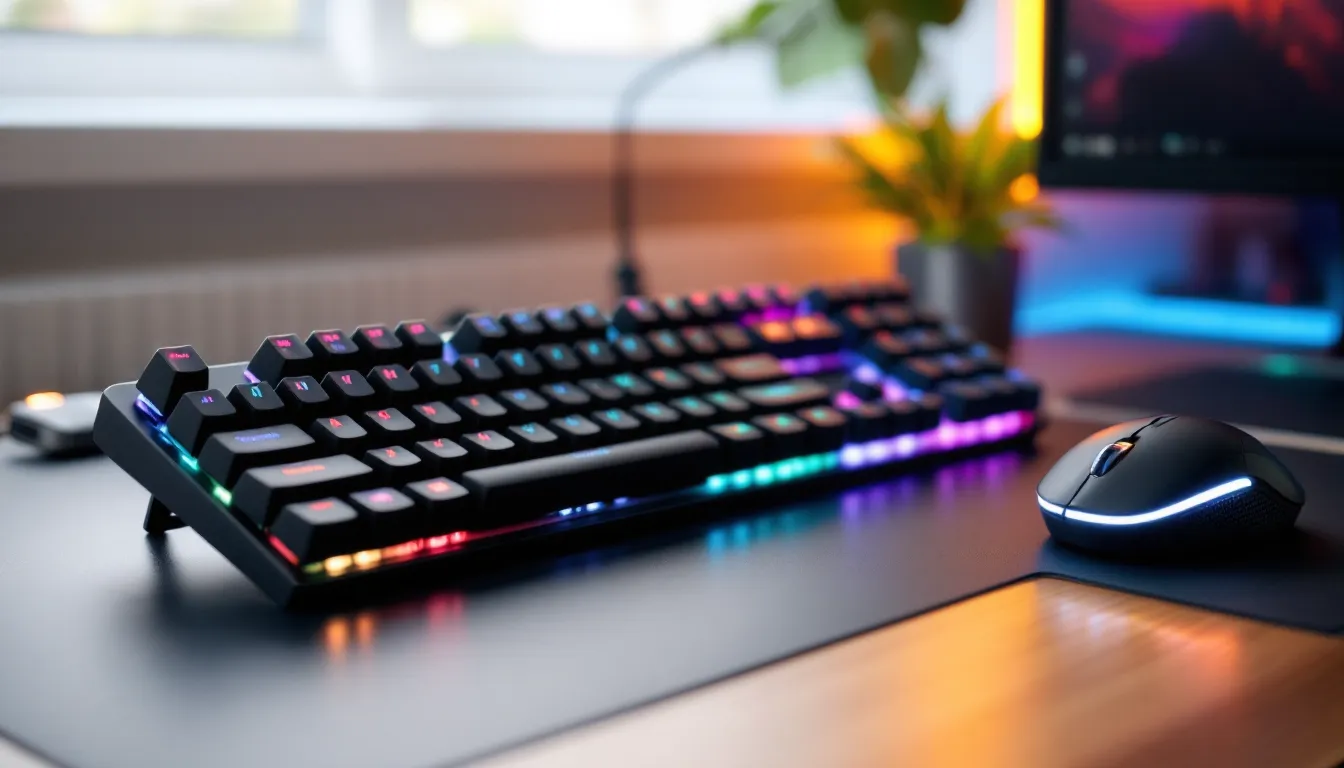
The Alloy Core RGB features six-zone RGB backlighting with five brightness levels. Out of the box, you can cycle through preset lighting modes using the dedicated light effect button (Fn + F5):
- Solid color (adjustable via Fn + arrow keys)
- Breathing (slow fade in/out)
- Wave (left-to-right color sweep)
- Reactive (lights up on keypress)
- Starlight (random twinkling effect)
The six zones are: Esc key, F-keys, alphanumeric block, arrow cluster, numpad, and media keys. You can’t customize individual key colors without the software, it’s preset zones only.
Lighting is bright and even, with minimal bleed between keys. The legends glow clearly, and the underglow adds a subtle halo effect on lighter desk surfaces. At maximum brightness, the LEDs can wash out in direct sunlight, but they’re perfectly visible in typical indoor lighting.
HyperX NGENUITY Software Features
The HyperX NGENUITY software (available via Microsoft Store or direct download from HyperX’s site) unlocks deeper customization. The interface is clean and responsive, no bloatware or forced account creation.
Key features include:
- Per-zone color customization: Assign specific colors to each of the six zones
- Expanded lighting effects: Additional patterns like Color Cycle, Color Shift, and Confetti
- Effect speed and brightness: Fine-tune timing and intensity
- Macro programming: Record simple keystroke macros (no mouse inputs or delays beyond basic timing)
- Game Mode toggle: Disables Windows key to prevent accidental desktop minimizing
Macro functionality is basic, record a sequence of keypresses and assign it to a key. You can’t program complex multi-step combos with conditional logic or mouse clicks. It’s fine for binding a quick chat message or a basic ability rotation, but power users will find it limiting.
Profiles don’t automatically switch per game. You’ll need to manually swap presets in NGENUITY, which is a minor annoyance if you play multiple titles with different setups.
Software updates have been infrequent but functional. The current version (4.3.x as of early 2026) is stable on Windows 10 and 11. macOS support exists but with limited features, basic lighting control only, no macros.
Gaming Performance and Responsiveness
For a sub-$50 membrane board, the Alloy Core RGB holds its own in gaming scenarios where raw speed isn’t the primary concern. The membrane switches deliver consistent actuation without the variability you sometimes get from cheaper mechanical clones.
In FPS titles like CS2, Valorant, or The Finals, the board handles movement and ability inputs cleanly. Strafing, crouch-jumping, and quick weapon swaps register accurately. The slightly heavier actuation force (60-65g) does mean you need a more deliberate press compared to light linear switches, this can reduce accidental inputs but may slow down reaction times by a few milliseconds in clutch scenarios.
In MOBAs and MMOs (League, Dota 2, FFXIV, WoW), the membrane actuation actually works well. Ability combos land consistently, and the quiet operation is a bonus during long raid nights or ranked grinds. The lack of mechanical switch fatigue during extended sessions is noticeable, no finger strain from repetitive clicking.
Fighting games are where the membrane design shows weakness. Fast inputs like quarter-circle motions, dash cancels, or frame-perfect combos feel slightly mushy. The 4mm key travel and softer actuation don’t provide the tactile feedback competitive players rely on for precise timing. A budget mechanical or even a fightstick will serve you better here.
Battle royales and looter shooters (Warzone, Apex, Fortnite) run smoothly. Looting, building, and inventory management work fine. The media keys are genuinely useful for quick Discord volume adjustments mid-match without tabbing out.
Anti-Ghosting and Key Rollover
The Alloy Core RGB supports full anti-ghosting across all 104 keys, meaning every keypress registers even during complex multi-key inputs. But, it does not feature full N-key rollover (NKRO). Instead, it offers 6-key rollover over USB.
For 99% of gaming scenarios, 6KRO is plenty. You’d need to press seven or more keys simultaneously for inputs to drop, an edge case that rarely occurs outside of intentional stress tests. Even frantic Overwatch 2 team fights or Warzone slide-canceling won’t push you past six simultaneous inputs.
Polling rate is standard 1000 Hz, matching most modern gaming peripherals. Input latency measured via third-party testing hovers around 10-12ms, which is competitive for membrane keyboards but slightly behind premium mechanicals (typically 3-8ms).
Typing Experience for Work and School
If you’re pulling double duty, gaming at night, typing essays or code during the day, the Alloy Core RGB is surprisingly solid.
The membrane switches are whisper-quiet, making them office- and library-friendly. There’s no clack, ping, or rattle to annoy coworkers or roommates. The soft tactile bump provides just enough feedback to confirm keypresses without requiring bottoming out, which reduces finger fatigue during long typing sessions.
Typing speed and accuracy are on par with most standard membrane keyboards. The slightly heavier actuation force (compared to light mechanical switches) reduces accidental keypresses, which can improve accuracy if you’re a heavy-handed typist. But, the 4mm travel distance and softer bottom-out make it feel less responsive than typing on quality mechanical switches, you won’t get that satisfying clack-clack rhythm.
Key spacing and layout are standard full-size, so there’s zero adjustment period if you’re coming from a typical office keyboard. The dedicated media keys (volume roller, play/pause, skip, mute) are a quality-of-life win for productivity, quick Spotify or YouTube adjustments without hotkey combos.
After extended typing tests (2+ hours of continuous document work), the membrane switches remained comfortable with minimal finger strain. The cushioned bottom-out absorbs impact better than bottoming out on stiff mechanical switches.
Comfort and Ergonomics
The Alloy Core RGB ships without a wrist rest, which is a notable omission at this price point, many budget boards now include at least a basic magnetic or snap-on rest.
The two-level kickstand feet offer 0°, 3°, or 7° typing angles. The flat position works best for floating-hand typing styles, while the raised angles suit rested-wrist typing. The medium 3° angle is the sweet spot for most users.
Key spacing and height follow standard OEM profile, so if you’re used to typical office or laptop keyboards, the transition is seamless. The textured coating on WASD and arrow keys provides enough grip to prevent finger slip during intense gaming without feeling sticky.
The lack of a dedicated wrist rest becomes noticeable during marathon gaming sessions (3+ hours straight). Resting your wrists on the desk edge can create pressure points, especially on hard surfaces. You can purchase third-party wrist rests, look for full-size options around 440-460mm wide to match the board’s footprint.
The keyboard’s footprint is 440mm (W) × 130mm (D) × 35mm (H), standard for full-size boards. It’ll comfortably fit most desks but may crowd limited mousepad space. If you’re on a small desk or prefer low-sens gaming with wide mouse movements, consider a TKL (tenkeyless) layout instead.
Compatibility and Connectivity
The Alloy Core RGB uses a non-detachable USB 2.0 cable with a standard USB-A connector. The 1.8-meter cable length is generous enough for most desktop setups but may require an extension for floor-mounted PCs or distant consoles.
Platform support includes:
- Windows 10/11: Full functionality, NGENUITY software support
- macOS: Plug-and-play, basic RGB control only (no NGENUITY)
- PlayStation 4/5: Works as standard USB keyboard, no software
- **Xbox One/Series X
|
S**: Compatible for text input and supported games
- Linux: Plug-and-play, no official software but third-party tools like OpenRGB can control lighting
On consoles, the keyboard functions for chat, text entry, and any game that supports keyboard input (Fortnite, FFXIV, etc.). RGB lighting defaults to the last-used preset from PC setup, but you can’t adjust effects directly from the console.
There’s no wireless option, this is strictly a wired keyboard. The lack of Bluetooth or 2.4GHz wireless keeps latency minimal and the price low, but portability suffers. Reviews from TechRadar note that budget gamers increasingly prioritize wired connections for competitive consistency anyway.
No onboard memory means lighting and macro profiles reset to defaults if you unplug and move the keyboard to a different system. You’ll need to reconfigure via NGENUITY on each new PC.
Price and Value Comparison
As of March 2026, the HyperX Alloy Core RGB typically retails between $39.99 and $49.99 USD, depending on sales. It frequently drops to $35-$40 during Black Friday, Prime Day, or back-to-school promotions.
At this price point, you’re competing with:
- Redragon K552 Kumara ($40-$45): Compact TKL mechanical with Outemu Blue switches, louder but more tactile
- Corsair K55 RGB Pro ($45-$55): Similar membrane design with slightly better software
- Logitech G213 Prodigy ($50-$60): Membrane with “Mech-Dome” switches (marketing gimmick, similar performance)
- SteelSeries Apex 3 ($50-$60): Membrane with better build quality, IP32 rating
The Alloy Core RGB sits in the middle of the budget pack. It’s not the absolute cheapest, but the spill resistance and solid HyperX build quality justify the slight premium over generic Amazon brands.
Value proposition is strongest for:
- First-time PC gamers transitioning from laptop or console
- College students needing a quiet board for dorms
- Casual gamers who don’t need mechanical switches
- Parents buying for younger gamers (durable, affordable, replaceable without guilt)
How Does It Compare to Mechanical Keyboards?
The elephant in the room: should you save up for a budget mechanical board instead?
Mechanical advantages:
- Faster actuation and shorter travel
- Better tactile feedback for precise timing
- Individual switch replacement if one fails
- Higher durability ratings (50-80M keypress lifespans)
- More enthusiast customization (keycaps, switch swaps)
Membrane advantages (Alloy Core RGB):
- Significantly quieter operation
- Softer, more forgiving typing feel
- Lower price point ($20-$30 less than entry mechanicals)
- Spill resistance (rare on budget mechanicals)
- No switch wobble or rattle
If you play competitive FPS titles seriously and want every possible advantage, save the extra $30-$40 for a Keychron C1, Royal Kludge RK61, or HyperX’s own Alloy Origins Core. The mechanical switches will give you faster response and better feedback.
But if you value silence, work in shared spaces, or simply prefer softer keypresses, the membrane design isn’t a downgrade, it’s a different tool for different needs. Testing by PCMag consistently shows membrane keyboards holding their own in input accuracy tests, with latency differences only mattering at the highest competitive levels.
Pros and Cons of the HyperX Alloy Core RGB
Pros:
- Silent operation: Near-silent membrane switches perfect for shared spaces
- Spill resistance: IP42 rating provides peace of mind against minor accidents
- Solid build quality: Sturdy plastic chassis with minimal flex
- Six-zone RGB: Bright, customizable lighting with clean software
- Dedicated media keys: Physical volume roller and playback controls
- Full anti-ghosting: All 104 keys register simultaneously without conflicts
- Budget-friendly: Consistently available under $50
- Wide compatibility: Works across PC, Mac, and consoles
Cons:
- No wrist rest included: Comfort suffers during long sessions without one
- Non-detachable cable: Reduces portability and complicates repairs
- Lower durability rating: 20M keypress lifespan vs. 50-80M for mechanical
- Slower actuation: Membrane switches can’t match mechanical response times
- ABS keycaps wear quickly: WASD and Shift keys will show shine within a year
- Basic macro functionality: No complex scripting or conditional logic
- No onboard memory: Profiles reset when moving between systems
- 6-key rollover only: Not full NKRO (rarely matters, but worth noting)
Who Should Buy the HyperX Alloy Core RGB?
The HyperX Alloy Core RGB hits a specific sweet spot. It’s not for everyone, but for certain users, it’s damn near perfect.
Buy this keyboard if you:
- Need silence: Living in dorms, shared apartments, or gaming at night near sleeping family
- Are budget-conscious: Want gaming features and RGB without breaking $50
- Play casually to moderately: Enjoy Valorant, League, Fortnite, or single-player titles without needing frame-perfect inputs
- Type frequently: Value quiet, comfortable typing for schoolwork or productivity
- Want durability insurance: Appreciate spill resistance and solid build quality
- Prefer plug-and-play: Don’t want to deal with complex software or switch customization
Skip this keyboard if you:
- Play competitive FPS seriously: Faster mechanical switches will give you a measurable edge
- Love tactile feedback: Mechanical switches provide more satisfying keypress confirmation
- Need advanced macros: Basic recording won’t cut it for complex MMO rotations
- Want enthusiast features: No hot-swap, no switch replacement, no custom keycap profiles
- Already own a quality mechanical: The membrane feel will seem like a downgrade
- Value portability: Non-detachable cable makes travel awkward
It’s also an excellent first gaming keyboard for younger players or anyone testing the waters before committing to more expensive gear. At $40-$50, it’s low-risk enough to try without major financial commitment, yet capable enough to handle serious gaming.
Conclusion
The HyperX Alloy Core RGB doesn’t pretend to be something it’s not. It’s a budget membrane keyboard that delivers reliable performance, useful features, and surprising durability for its price class. In a market increasingly dominated by flashy mechanicals and premium pricing, it stands as a reminder that not everyone needs hot-swappable switches and PBT keycaps.
For gamers who value silence, students balancing schoolwork and gaming, or anyone working within a tight budget, the Alloy Core RGB offers genuine value. The spill resistance alone has probably saved countless boards from premature death. The RGB lighting is bright and customizable enough to satisfy most users, and the dedicated media keys are a quality-of-life feature you’ll use daily.
Yes, it has limitations. The membrane switches won’t satisfy mechanical keyboard purists, the keycaps will show wear, and competitive FPS players might notice the slightly slower response. But for the majority of gamers, those who play for fun, who mix gaming with productivity, who’d rather spend their hardware budget on a better GPU, the Alloy Core RGB gets the job done without drama.
In 2026, as gaming keyboards push toward $100+ price tags with increasingly niche features, there’s something refreshing about a board that simply works, stays quiet, and doesn’t demand much in return. The HyperX Alloy Core RGB might not be the hero of gaming keyboard reviews, but it’s the reliable workhorse that keeps showing up.